October 16, 2026
Where is the EID on your phone? The exact menu for every brand
Find the EID number on Samsung, Pixel, Motorola, OPPO, Honor, Sony, iPhone, iPad and Apple Watch: exact menu paths, *#06# and the box, checked 16 Oct 2026.
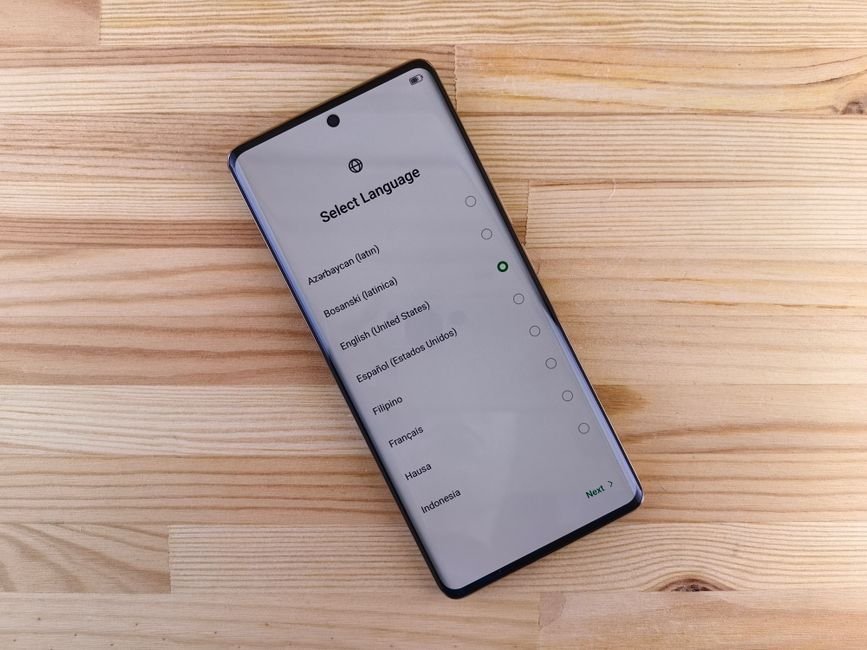
Photo: Andrey Matveev — Pexels
To find the EID number on Android, open Settings, then About phone: Samsung lists it under Status information, Google Pixel directly or under SIM status, and Motorola under Device details. On an iPhone, it is in Settings, General, About. Below is the exact path for each brand, checked on 16 October 2026.
Key takeaways
- The EID is the 32-digit identifier of the eSIM chip itself: on an iPhone or iPad it is in Settings > General > About, on a Google Pixel in Settings > About phone, and on a Samsung Galaxy in Settings > About phone > Status information.
- Dialling *#06# in the Phone app shows the EID on "the vast majority of handsets", according to the eSIM provider Mobal, and Airalo gives it as its first check, but no phone maker documents this code, so check Settings before concluding that a phone has no EID.
- Xiaomi, OnePlus, Nothing and Vivo publish no official EID path that we could find on 16 October 2026: on those phones, type "EID" in the Settings search bar or dial *#06#.
What is an EID number, and how is it different from the IMEI?
The EID (Embedded Identity Document) is the serial number of the eSIM chip in your phone, and it is always 32 digits long. The GSMA, the industry body that writes the eSIM standards, sets that length in its SGP.29 specification and requires each EID to identify one eSIM chip uniquely. The same document says the EID is not tied to any mobile subscription: it identifies the hardware, not your plan or your number.
Google puts it simply on its Pixel help page about phone ID numbers: to use an eSIM, a phone needs an EID, and when you set up a new SIM, your carrier may ask for your IMEI 1, IMEI 2 or EID. Three numbers are easily confused, so here is what each one identifies:
| Number | Identifies | Length | Changes when |
|---|---|---|---|
| EID | The eSIM chip (eUICC) soldered inside the phone | 32 digits | Never: it belongs to the chip |
| IMEI | The phone as a mobile device (dual-SIM phones have two) | 15 digits | Never: it belongs to the phone |
| ICCID | One SIM profile, physical or downloaded | 19 or 20 digits | Each time you install a new SIM or eSIM |
Table checked on 16 October 2026. The ICCID length comes from the ITU-T E.118 standard, which sets a maximum of 19 digits, while an older ETSI SIM standard lets operators keep 20, as Italy's telecoms regulator AGCOM sets out in its numbering document. In practice, the EID is the number a carrier asks for when it wants to send an eSIM to your exact phone, for example when it assigns a plan to the chip before you even scan a QR code. The IMEI, a 15-digit identifier according to the GSMA, is the number networks put on a block list when a phone is reported lost or stolen.
What is the fastest way to find the EID on any phone?
Open the Phone app, dial *#06#, and look for a 32-digit number labelled EID. This is the method eSIM providers give first. Airalo's device compatibility help page asks you to use the phone's own dialler, not a messaging app such as WhatsApp, and says that if an EID appears, the device supports eSIM. Mobal's help article on the EID says the code shows it on "the vast majority of handsets".
Two limits apply. First, none of the phone makers' pages we checked mentions *#06#: Apple's and Google's ID number pages only describe the Settings route. Second, Mobal points out that finding the EID in the Settings menu lets you copy and paste it, and a 32-digit number is easy to mistype. If you need to paste the EID into a carrier form, use Settings.
The second shortcut is the search bar at the top of the Android Settings app: type EID and see whether a result appears. No phone maker documents this, but it is worth trying on brands whose menus are not documented below, because it does not depend on knowing what the brand calls the screen. If it finds nothing, open About phone and look there.
Where is the EID on each brand? The full table
The paths below come from each maker's support page where one exists, and otherwise from carrier device guides written for a named model and software version. Menu names move between software versions, so the version is given each time.
| Brand | Path to the EID | Source version | Our page |
|---|---|---|---|
| iPhone | Settings › General › About (scroll down) › EID | iOS 26 and iOS 27 | iPhone |
| iPad (cellular) | Settings › General › About › EID | iPadOS 26 | iPad Air |
| Apple Watch (cellular) | Digital Crown › Settings › General › About › EID | watchOS 26 | Apple Watch |
| Samsung Galaxy | Settings › About phone › Status information › EID | Android 15 to 17 (One UI) | Samsung |
| Google Pixel | Settings › About phone › EID (older builds: SIM status › EID) | Android 14 to 17 | Pixel |
| Motorola | Settings › About phone › Device details › EID | Android 15 | Motorola |
| OPPO | Settings › About device › Status › EID | Android 16 (ColorOS) | OPPO |
| Honor | Settings › About phone › EID | Android 15 | Honor |
| Sony Xperia | Settings › About phone › SIM status (sim slot 2) › EID | Android 12 | Xperia |
| Xiaomi, OnePlus, Nothing, Vivo | No official path published: search Settings for "EID" or dial *#06# | None found | Xiaomi, OnePlus |
Table checked on 16 October 2026. The detail for each brand, with the source behind every path, follows.
iPhone: Settings, Finder and the box
Apple's page on finding the serial number, EID and IMEI, published on 12 May 2026, gives several places for the EID of an iPhone:
- On the phone: open Settings, tap General, then About. Apple notes: "You might need to scroll down to find the EID, IMEI/MEID, and ICCID." Touch and hold the number to copy it.
- On a Mac: connect the iPhone, open it in Finder and click Phone Number under the device name to reveal the EID, IMEI/MEID and ICCID.
- In your Apple Account: sign in on the web, open the device list and select the iPhone to see its serial number, EID and IMEI/MEID.
- On the original box: Apple says the serial number, EID and IMEI/MEID are on the barcode label of the original packaging.
One place Apple does not list for the EID is the SIM tray: for iPhones that still have one, Apple lists only the IMEI/MEID on the tray. Carrier device guides confirm the Settings route on the latest models: Vodafone UK's guide for the iPhone 17 on iOS 27 shows the EID in Settings › General › About, and so does its guide for the iPhone Air on iOS 26.
If your iPhone shows no EID at all, check where it was sold before anything else. Apple says that in China mainland only the iPhone 18 Pro, iPhone 18 Pro Max, iPhone 17e and iPhone Air support eSIM, and that some models sold in Hong Kong and Macao use two nano-SIM cards instead, as our guide to the "eSIM not supported" message explains. Elsewhere, iPhones from the XR and XS onwards have one; our iPhone eSIM page lists the models and the regional exceptions.
iPad and Apple Watch
Only cellular models of the iPad and Apple Watch have an eSIM, so only they have an EID. On a cellular iPad, the path is the same as on the iPhone: Settings › General › About. Apple's same support page adds that on a Mac, you click Serial Number under the iPad's name in Finder to reveal the CDN, EID, IMEI/MEID and ICCID. If the iPad is not set up yet, Apple says you can turn it on and, on the Hello screen, tap the Info button in the bottom-right corner to see the serial number, EID or IMEI. Vodafone's guide for the iPad Air 11-inch (M4, 2026) on iPadOS 26 shows the EID in Settings › General › About.
On an Apple Watch, the EID is on the watch itself. Vodafone's guide for the Apple Watch Series 11 on watchOS 26 gives four presses: the Digital Crown, the Settings icon, General, then About, where the EID is shown. A GPS-only watch has no EID because it has no eSIM; our Apple Watch eSIM guide explains which models connect on their own.
Samsung Galaxy: About phone, then Status information
Samsung's own UK page How to use an eSIM with your Galaxy phone, updated on 22 January 2025, says: "You can find the EID on the box of your smartphone or in Settings > About phone > Status." It also warns that "The carrier may ask you the EID of your phone."
On current software the last menu is called Status information. Vodafone UK's guide for the Galaxy S26 on Android 16 gives these steps, and its guides for the Galaxy S25 on Android 15 and the Galaxy Z Fold8 on Android 17 are identical:
- Open Settings.
- Tap About phone.
- Tap Status information.
- Read the number shown under EID.
If Status information has no EID line, the phone has no active eSIM chip. That happens with some regional models, which our page on regional variants without eSIM hardware covers. Our Samsung Galaxy eSIM page lists the models that have one, from the Galaxy S26 back to the S20.
Google Pixel: About phone, two versions
Google's official page and recent Pixel software do not agree on the last step, so here are both. Google's Find your IMEI and other Pixel phone ID numbers says: open Settings, tap About phone, then SIM status, and find EID. That matches older builds: Vodafone's guide for the Pixel 7 on Android 13 shows the EID under SIM status (sim slot 2).
On newer builds, the EID has its own line. Vodafone's guide for the Pixel 10 on Android 16 says to open Settings, tap About phone, then tap EID to see the number; the guides for the Pixel 9 on Android 14 and the Pixel 11 on Android 17 say the same. So on a Pixel, open About phone and look for EID first; if it is not there, open SIM status.
Outside Settings, Google names one place for a Pixel's EID: the phone's box. The SIM card tray appears on Google's page only as a place for the IMEI numbers. Our Google Pixel page lists every Pixel with an eSIM, including the regional exceptions on the Pixel 3 series, which has no eSIM if it was bought in Australia, Taiwan or Japan, or from a US or Canadian carrier other than Sprint and Google Fi.
Motorola: About phone, then Device details
Motorola adds one menu that other brands do not have. Vodafone UK's guide for the Motorola Edge 60 Pro on Android 15 gives this route:
- Open Settings.
- Tap About phone.
- Tap Device details.
- Read the number under EID.
The guide for the razr 60 ultra on Android 15 follows the same route, except that you tap EID inside Device details to display the number. Motorola's eSIM support varies a lot by model and region; our Motorola page and the pages for the Edge series and razr series list which models have the chip.
OPPO, Honor and Sony
OPPO calls the menu About device rather than About phone. Vodafone's guide for the OPPO Find X9 Ultra 5G on Android 16 goes Settings › About device › Status, where the number is shown under EID. Its guide for the OPPO A6 Pro 5G on Android 16 is the same. Our OPPO page and Find X series page list compatible models.
Honor has the shortest path. Vodafone's guide for the Honor 400 Pro on Android 15 goes Settings › About phone, then tap EID to see the number, and its guide for the Honor Magic7 Pro on Android 15 is identical. See our Honor page for the models with eSIM.
Sony is the one brand where the only source we found is old. Vodafone's guide for the Xperia 10 IV on Android 12 goes Settings › About phone › SIM status (sim slot 2), where the EID is shown. Newer Xperia software may place it differently; if SIM status has no EID line, search Settings for "EID". Not every Xperia 10 IV has the chip: our Xperia page lists eSIM on the international XQ-xx54 models and on Japanese models only, while dual nano-SIM variants have none.
Xiaomi, OnePlus, Nothing and Vivo: what can be verified
We found no manufacturer page and no carrier device guide giving an EID path for Xiaomi (HyperOS), OnePlus (OxygenOS), Nothing or Vivo on 16 October 2026. Several travel-eSIM blogs give paths for these brands, but they contradict each other, so we do not repeat them. Three methods do work without guessing:
- Dial *#06# in the Phone app and look for a line labelled EID, as Airalo and Mobal advise.
- Search Settings for "EID" using the search bar at the top of the Settings app, then open About phone if nothing comes up.
- Read the box label if you still have it, then check the number against what the phone shows once you find it.
For these brands the region matters as much as the model. Airalo's device list says eSIM support on OnePlus phones "is only available in certain regions" and that on Vivo phones "eSIM availability may vary depending on country/region and carrier", with the same warning on some Redmi models. Check your exact model on our Xiaomi page, OnePlus page, Nothing page or Vivo page before you look for an EID that may not exist.
Is the EID printed on the box?
Often yes: Apple, Samsung and Google all name the original box as a place to find the phone's ID numbers. Apple says the EID is on the barcode of the original packaging, Samsung says "You can find the EID on the box of your smartphone", and Google lists "Your phone's box" as a place to find a Pixel's EID. The label usually carries the IMEI too, so read the line names carefully: the EID is the 32-digit one.
The box is useful when the phone will not turn on or has been lost, for example to give your carrier the EID when you ask for a replacement eSIM. If you bought the phone second-hand without its box, or the label has worn off, use Settings: it always shows the EID of the chip that is actually inside the phone, while a box can belong to another unit.
No EID anywhere: does that mean no eSIM?
Almost always: a phone with no EID in Settings has no working eSIM chip, because the EID is the chip's own serial number. Google states that a phone needs an EID to use an eSIM. The exception is *#06# on its own: if the dialler code shows only IMEI numbers, still check Settings before concluding, since the code is a provider tip, not a manufacturer feature.
Before you give up on a phone, rule out three causes:
- Regional model: the same model name can ship with or without eSIM depending on the market. Apple, for example, says only four recent iPhones sold in China mainland support eSIM, and the Pixel 3 series has none if bought in Japan.
- Older model: phones launched before eSIM became common simply have no chip. Our full list of eSIM-compatible devices shows the exact models.
- Wrong screen: on a dual-SIM Android phone, the EID can sit under the second SIM slot (as on older Pixels and Xperias) rather than the first.
Our article on checking eSIM support without installing anything covers the other signs, such as an Add eSIM option in the SIM menu. The free eSIM Check app does the same test automatically.
When will you be asked for your EID?
Installing a travel eSIM by QR code or install link does not usually ask you to type the EID. The EID comes up in three situations:
- A carrier assigns a plan to your phone in advance. Samsung says some providers support "automatic mobile plan activation to an eSIM by pre-assigning your mobile plan", in which case the plan downloads without a QR code, and that "The carrier may ask you the EID of your phone." Our guide to activating an eSIM without a QR code covers this.
- You contact support about a failed activation. Apple's page on eSIM set-up problems asks you to have your iPhone's IMEI or EID ready when you call your carrier.
- You order a voice and data eSIM. Mobal, for example, says the EID is needed to activate its Voice+Data eSIMs.
Since the EID identifies the chip and not your subscription, giving it to your own carrier or eSIM provider is routine. Share it only with them, through their official app, website or shop, and never with someone who contacts you first and asks for it.
After you have found it
Once you have the EID, you have proved the phone has an eSIM chip. The next steps depend on what you want to do:
- To install a plan, follow our step-by-step Android activation guide.
- If the phone has an EID but your carrier still refuses the eSIM, read why a carrier won't activate a compatible phone.
- If you are not sure the phone is unlocked, our guide to unlocked phones and travel eSIMs explains how to check.
- If you deleted an eSIM by mistake, the EID helps your provider reissue it; see how to get a deleted eSIM back.
Frequently Asked Questions
How do I find my EID number on Android?expand_more
Does *#06# show the EID?expand_more
Where is the EID on an iPhone?expand_more
Why can't I find the EID on my phone?expand_more
Is the EID the same as the IMEI?expand_more
Check your own phone in seconds
The free eSIM Check app reads your device's real hardware capabilities — no guesswork.
Get it on Google Play