August 8, 2026
eSIM Supported but Carrier Won't Activate? Here's Why
Your phone shows eSIM support, but your carrier refuses to activate it. Learn the real reasons—hardware, carrier policies, and more—and how to fix it.
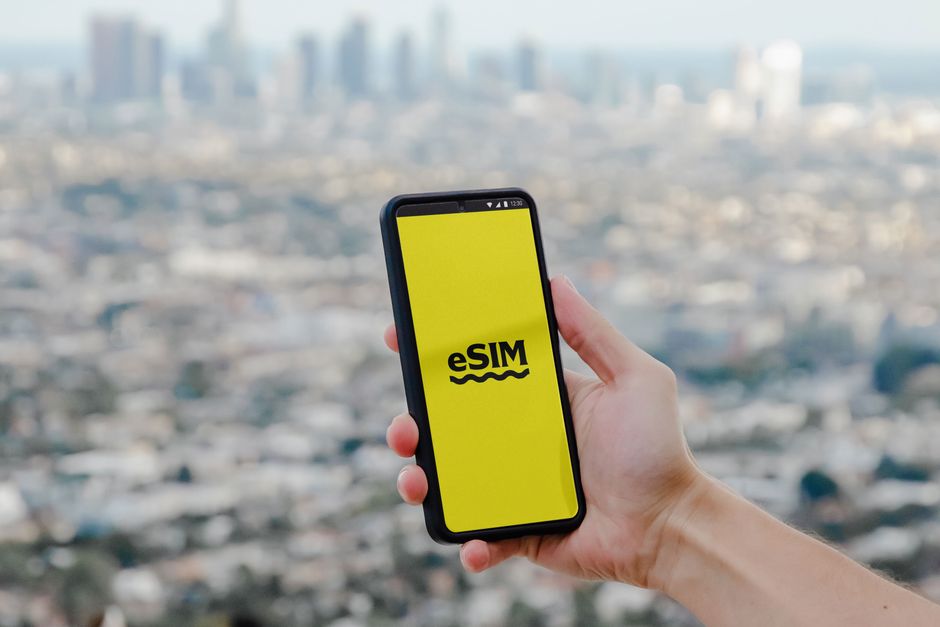
Photo: Jacob — Pexels
Introduction: The eSIM Paradox
You’ve just bought a shiny new Samsung Galaxy S24 or Google Pixel 10, and you’re excited to ditch the physical SIM tray. You dive into Settings > Connections > SIM manager, and there it is: eSIM with a friendly “Add eSIM” button. But when you contact your carrier, they flat-out say, “We don’t support eSIM on your plan,” or “eSIM is not available for your device.” Frustrating, right? You’re not alone. This article explains exactly why your phone shows eSIM but your carrier refuses to activate it—and what you can do about it.
Understanding eSIM: Hardware vs. Carrier Support
Before we dive into the reasons, it’s crucial to understand a fundamental truth: eSIM activation requires two independent things to align—your phone’s hardware (the eUICC chip) and your carrier’s backend systems and policies. If even one is missing, you won’t get eSIM working, no matter how many times you scan a QR code.
What is eUICC and Why Does It Matter?
eUICC (embedded Universal Integrated Circuit Card) is the tiny chip soldered onto your phone’s motherboard that acts as a virtual SIM. Every modern flagship—like the iPhone 14 and 15 (in the US), Samsung Galaxy S23 and newer, Google Pixel 6 and newer, and many Motorola and OnePlus models—has this chip. But having the chip is only half the battle. The chip must be programmed with your carrier’s profile, and that programming is done remotely via a secure server. If your carrier doesn’t have the infrastructure to send that profile to your specific device model, they’ll refuse.
Reason #1: Your Device Model Isn’t Whitelisted by the Carrier
Carriers maintain a database of “approved” devices for eSIM activation. Even if your phone is technically eSIM-capable, the carrier may not have tested it or may not have a profile for it. This is especially common with:
- Unlocked international models (e.g., a Xiaomi or OnePlus bought from a global reseller).
- Older devices that received eSIM support via a software update but weren’t originally sold by that carrier.
- Devices from other regions—a US-spec Pixel might not be whitelisted by a European carrier, and vice versa.
For example, many US carriers initially whitelisted only iPhones and specific Samsung Galaxy models. If you have a Motorola Razr or a OnePlus 11, you might be told “not supported” even though the hardware is fine.
Reason #2: Carrier Policies and Plan Restrictions
Even if your phone is whitelisted, carriers often restrict eSIM to certain plans or postpaid accounts. Prepaid plans are frequently excluded, or eSIM activation may require a trip to a physical store for identity verification. Some carriers also limit eSIM to new activations, not SIM swaps from an existing physical SIM. This is a business decision, not a technical limitation. Always check your carrier’s eSIM support page and read the fine print about plan eligibility.
Reason #3: Software Issues and Outdated Firmware
Your phone might show eSIM in settings, but if your Android version is outdated, the eSIM management applet might not work correctly. For instance, Android 10 introduced native eSIM support, but early implementations were buggy. If you’re on Android 12 or lower, some carriers may refuse because they require Android 13+ for security reasons. Also, a corrupted carrier profile or a failed update can make your phone “forget” it has an eUICC.
How to Check Your eSIM Firmware
Go to Settings > About Phone > Status (or SIM status) and look for “EID” (Embedded Identity Document). If you see an EID number, your eUICC is present and operational. If you see “Not available” or “Error,” your eUICC might be disabled or damaged—a rare hardware issue.
Reason #4: Carrier Activation Servers Down or Region-Locked
Sometimes the problem isn’t your phone or the carrier’s policy—it’s their backend. Carriers use a Remote SIM Provisioning (RSP) server to deliver eSIM profiles. If that server is down, or if you’re in a region where the carrier hasn’t launched eSIM, they’ll refuse. For example, a carrier might support eSIM in major cities but not in rural areas, or they might have a temporary outage. In that case, wait a day and try again—or ask the carrier to escalate a ticket.
Reason #5: Device Locked to a Different Carrier
If you bought your phone from a carrier (e.g., a Verizon-branded Samsung Galaxy), it might be SIM-locked to that carrier, even if you’re now using a different one. The eSIM functionality is often tied to the original carrier’s firmware. A locked phone will refuse eSIM profiles from other carriers. You’ll need to request an unlock from the original carrier—which they may only grant after a certain contract period.
What You Can Do: A Step-by-Step Troubleshooting Guide
- Confirm your EID exists (Settings > About Phone > Status). If no EID, your phone doesn’t have eUICC—despite what the menu says.
- Check your carrier’s official eSIM support list—search for “your carrier eSIM supported devices.”
- Update your phone to the latest Android version and carrier settings (Settings > System > System update).
- Contact customer support and ask specifically: “Is my device IMEI whitelisted for eSIM activation?” If they say no, ask for a supervisor—sometimes they can manually add it.
- Try a different carrier that supports eSIM on your device. Many MVNOs (like Airalo, Truphone, or local budget carriers) are more flexible.
- Use the free eSIM Check Android app—it scans your device and tells you exactly which carriers support eSIM on your specific model, saving you hours of phone calls.
Real-World Examples: Why Specific Phones Fail
| Device | Common Issue | Solution |
|---|---|---|
| Samsung Galaxy S21 (international) | Carrier whitelist only includes US models | Use a carrier that supports global IMEIs, or flash carrier-specific firmware |
| Google Pixel 6a (unlocked) | Carrier plan doesn’t include eSIM for prepaid | Switch to postpaid or a supported MVNO |
| Xiaomi 13 (global) | Carrier hasn’t certified Xiaomi for eSIM | Contact carrier to request certification; use a travel eSIM provider |
| Motorola Razr 2023 (Verizon) | SIM-locked to Verizon, eSIM blocked for other carriers | Request unlock code from Verizon after contract |
| OnePlus 11 (T-Mobile) | Software bug in early builds | Update to Oxygen OS 13.1+ |
When It’s a Hardware Problem (Rare but Possible)
In rare cases, the eUICC chip might be physically damaged or malfunctioning. Symptoms include: the eSIM menu disappears, you get an “EID not found” error, or the phone reboots when you try to add a profile. If you’ve tried everything and the EID is missing, contact the manufacturer for warranty service. But before you do, try a factory reset—sometimes it’s just a software glitch.
The Future: eSIM is Inevitable, But Carriers Are Slow
As of 2026, eSIM is standard on virtually all new Android phones, and many carriers have embraced it. But legacy billing systems, fraud concerns, and the sheer complexity of device certification mean some carriers lag behind. The good news: you have options. You can switch to a more eSIM-friendly carrier, use an eSIM travel app for data, or simply keep using a physical SIM until your carrier catches up. The key is to know the difference between a hardware limitation and a carrier policy—and now you do.
Conclusion: Don’t Give Up—Check Your Device
Seeing “eSIM” in your settings is a good sign, but it’s not a guarantee of activation. The most common reasons are carrier whitelists, plan restrictions, and software issues—all of which can be solved with a bit of persistence. If you’re tired of guessing, download the free eSIM Check Android app from the Play Store. It will analyze your device’s IMEI and EID, compare it against a global database of carrier support, and give you a list of carriers that will actually activate your eSIM. Stop yelling at your carrier—get the app and find a solution that works.
Frequently Asked Questions
Why does my phone show eSIM but my carrier says it's not supported?expand_more
Can I force my carrier to activate eSIM on my phone?expand_more
Will unlocking my phone help with eSIM activation?expand_more
What is the free eSIM Check Android app?expand_more
Check your own phone in seconds
The free eSIM Check app reads your device's real hardware capabilities — no guesswork.
Get it on Google Play