August 11, 2026
eSIM Roaming Charges: What to Check Before Travelling in 2026
Avoid surprise eSIM roaming charges in 2026. Learn what to check before travelling—carrier support, device compatibility, data plans, and hidden fees.
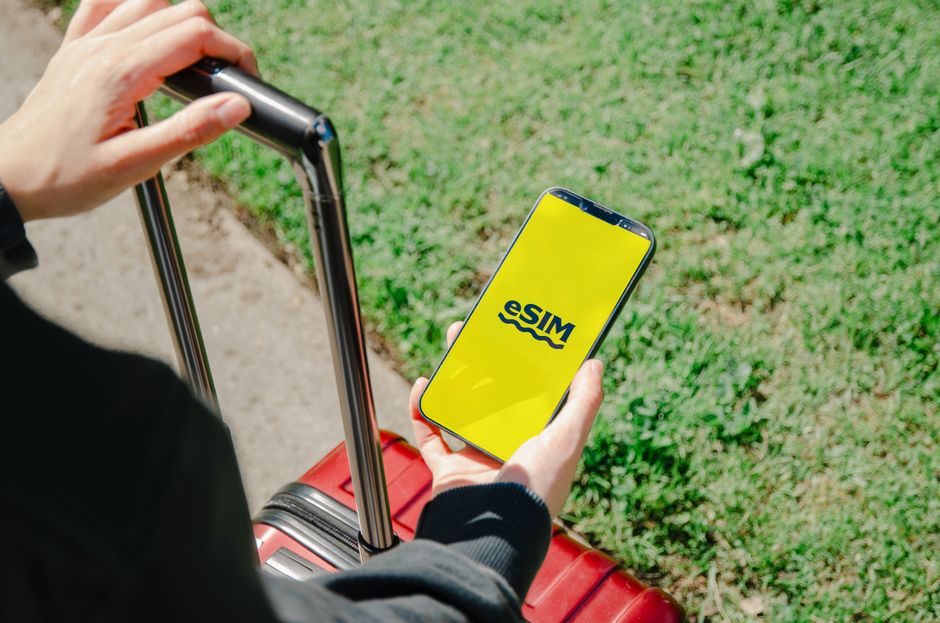
Photo: Jacob — Pexels
Why eSIM Roaming Costs Are Still Confusing in 2026
eSIM technology has matured significantly, but roaming charges remain a minefield. In 2026, most flagship Android phones—including the Samsung Galaxy S25 Ultra, Google Pixel 10 Pro, Xiaomi 15, motorola signature, and OnePlus 13—support eSIM. Yet, a device with an eUICC chip is only half the story. Your carrier must also support eSIM provisioning, and your destination network must have a roaming agreement with your home operator. If any piece is missing, you could face unexpected fees or a complete lack of connectivity.
The promise of eSIM was seamless connectivity, but the reality is that roaming pricing varies wildly. Some carriers offer flat-rate daily passes; others charge per megabyte. Some include eSIM roaming in their plans; others treat it as a premium add-on. Before you board a plane, you need to understand exactly what your carrier charges, what your device supports, and what alternative eSIM data plans exist.
1. Check Your Device's eSIM Hardware and Software Support
Every eSIM-capable phone contains an eUICC (embedded Universal Integrated Circuit Card) chip. This chip stores multiple eSIM profiles and allows you to switch between them without swapping physical SIMs. However, not every phone with an eUICC is unlocked for eSIM use. Carriers can lock eSIM functionality, especially on subsidised devices. In 2026, most unlocked phones from Samsung, Google, Xiaomi, Motorola, and OnePlus support eSIM out of the box, but carrier-locked variants may not.
To verify, go to Settings > Network & Internet > SIMs (or Connections > SIM card manager on Samsung). If you see an option to “Add eSIM” or “Download a SIM profile,” your device is eSIM-ready. If not, contact your carrier to see if they can unlock it. Also, ensure your phone's software is up to date—older Android versions may lack the eSIM management UI, even if the hardware is present.
Real Device Examples
- Samsung Galaxy S25/S26 series: Full eSIM support, but some carrier variants disable it. Check your IMEI and carrier policy.
- Google Pixel 9/10/10: Unlocked models support eSIM; Verizon and AT&T versions generally do too, but T-Mobile may require a physical SIM for some plans.
- Xiaomi 15/17: eSIM is supported on global models, but Chinese domestic versions often lack the feature.
- Motorola Edge 70 series: eSIM supported, but availability depends on region and carrier.
- OnePlus 15/13: eSIM works on most models, but some T-Mobile variants have restrictions.
If you're unsure, use a free eSIM checker app like “eSIM Check” on the Google Play Store. It scans your device's eUICC and reports whether eSIM is enabled and whether any carrier locks exist.
2. Understand Your Home Carrier's Roaming Policy
Even if your phone supports eSIM, your home carrier decides whether you can use it abroad. Some carriers automatically activate international eSIM roaming; others require you to enable it manually. In 2026, many carriers offer “travel passes” that give you a fixed amount of data for a daily fee. For example, T-Mobile's Magenta plan includes basic international data at 2G speeds, but you can pay for high-speed passes. Verizon offers a $10/day TravelPass, and AT&T has an International Day Pass at $12/day. These are eSIM-compatible, but you must ensure your plan includes eSIM roaming.
Check your carrier's website or app for a “roaming” section. Look for the following:
- Does your plan include any international data? If not, expect per-MB charges that can be astronomical.
- Is there a daily or weekly pass? Calculate the cost for your trip length.
- Are there speed caps? Many passes throttle to 3G or 4G speeds after a certain amount of data.
- Does the pass cover eSIM profiles? Some carriers only support roaming on physical SIMs, though this is rare in 2026.
Also, check if your carrier charges a one-time fee to activate eSIM roaming. Some smaller operators do, and that fee can be higher than the actual data cost.
3. Compare with Local eSIM Data Plans
If your home carrier's roaming rates are high, consider buying a local eSIM data plan from a regional operator or a global eSIM provider like Airalo, Holafly, or eSIM.net. These providers offer data-only eSIMs for specific countries or regions. For example, a 5GB Europe eSIM might cost $15, while your carrier's daily pass would be $10/day—so for a week-long trip, the eSIM is cheaper.
However, beware of pitfalls:
- Data-only eSIMs do not include a phone number. You cannot make traditional calls or receive SMS, except for iMessage or WhatsApp.
- Coverage may be limited to certain networks. Check which networks the eSIM uses. In the US, some eSIMs only connect to T-Mobile, which may be fine in cities but poor in rural areas.
- Activation requires a QR code or an app. Make sure you can install the eSIM profile before you leave, or have a Wi-Fi connection at your destination.
- Some eSIMs have a validity period. If you buy a 30-day plan but your trip is 45 days, you'll need to top up or buy another.
For Android users, installing an eSIM is straightforward: go to Settings > Network & Internet > SIMs > Add eSIM, then scan the QR code. You can have multiple eSIM profiles stored on your device, but only one can be active at a time for data. You can switch between them in the same menu.
4. Check for Hidden Fees and Fine Print
Roaming charges aren't just about per-MB rates. Carriers often add fees for:
- Connection fees: A one-time charge each time you connect to a foreign network.
- Taxes and surcharges: Some countries impose local taxes on roaming services, which your carrier passes on.
- Overage charges: If you exceed your daily data allowance, you may be charged per MB at exorbitant rates.
- International calling: Even if you have a data pass, calls back home may be billed separately.
Read the fine print before you travel. For example, a carrier might advertise “unlimited roaming” but cap it at 512MB per day at full speed, then throttle to 128kbps—which is barely enough for email. Another might charge a $5 “activation fee” for eSIM roaming, even if you already have an eSIM profile.
5. Use Wi-Fi Calling and Other Workarounds
If you have a Wi-Fi connection, you can avoid roaming charges entirely by using Wi-Fi calling. On Android, enable Settings > Network & Internet > Mobile network > Wi-Fi calling. This routes calls and texts over Wi-Fi, and your carrier treats them as if you were on your home network—provided your plan supports it. However, be aware that Wi-Fi calling may still incur charges if you call an international number.
Another workaround is to use a physical SIM from a local prepaid operator if your phone has a SIM slot. Many Android phones support dual SIM (one physical + one eSIM), so you can keep your home eSIM active for calls while using the local SIM for data. This is often the cheapest option, but it requires you to buy a local SIM at your destination, which may be inconvenient.
6. Test Your eSIM Before You Leave
Don't wait until you land to discover that your eSIM doesn't work. Before your trip:
- Contact your carrier and confirm that eSIM roaming is enabled on your plan.
- If you plan to use a third-party eSIM, install it and activate it while still at home (most allow this).
- Check that your phone's APN settings are correct for the eSIM provider. Some providers require manual APN configuration.
- Test switching between eSIM profiles to ensure you know how to do it in a hurry.
- Download offline maps and important documents in case you have no connectivity initially.
Also, consider using a free eSIM checker app to verify that your device is fully compatible with the eSIM profile you intend to use. Some older devices or regional variants may not support certain eSIM bands, especially 5G bands in different countries.
7. Understand the Difference Between Data-Only and Full eSIM
When you buy an eSIM from a third-party provider, you are usually getting a data-only profile. That means you can browse the internet, use apps, and send messages over data (like WhatsApp), but you cannot make traditional phone calls or send SMS. Some providers now offer eSIMs with a phone number, but they are rare and more expensive.
If you need to receive calls from your home country, you might want to keep your home eSIM active for calls and texts, and use the data eSIM for internet. On Android, you can set the data eSIM as your primary data source while keeping the home eSIM for calls and SMS. This is called “dual SIM, dual standby” and is supported on most modern devices.
8. Check for Regional Variations and Network Compatibility
Roaming charges are not just about the country—they can vary within a country. For example, in the US, roaming on AT&T vs T-Mobile can have different rates. In Europe, the EU has abolished roaming charges for EU residents, but non-EU travellers are still subject to fees. In 2026, some countries like Japan and South Korea have very low roaming rates, while others like Cuba and Russia are extremely expensive.
Before you travel, research which networks in your destination are compatible with your device's bands. Most modern phones support a wide range of LTE and 5G bands, but some regional variants may lack certain bands. For instance, a US Samsung Galaxy S25 may not support the 700MHz band used in some rural areas of Europe. Use a band checker app or website to compare your phone's specs with the destination's network frequencies.
9. Consider Annual Travel Plans or Global eSIM Subscriptions
If you travel frequently, a global eSIM subscription might be more cost-effective than paying per trip. Many providers now offer annual plans with a set amount of data per month, usable in multiple countries. For example, a 10GB global plan might cost $100 per year, which is cheaper than buying separate regional plans for each trip. However, these plans often have speed caps or fair usage policies, so read the terms carefully.
Also, some travel credit cards or premium bank accounts include international data passes as a perk. Check if your credit card offers any travel benefits that include eSIM data.
10. What to Do If You Run Into Unexpected Charges
Even with all precautions, you might still receive a surprise bill. If that happens, act quickly:
- Contact your carrier immediately and ask for a detailed breakdown of charges.
- Dispute any fees that were not disclosed clearly. In many jurisdictions, carriers must provide transparent pricing, and you can escalate to a regulator.
- If you used a third-party eSIM, check their billing for any hidden fees. Some providers charge for re-downloading a profile or for customer support.
- Consider using a prepaid eSIM (like those from Airalo) that has no post-paid billing, so you cannot be overcharged.
In 2026, most eSIM providers have clear pricing, but mistakes happen. Always keep screenshots of your plan details and any communication with support.
Final Checklist Before You Fly
| Item | What to Check |
|---|---|
| Device eSIM support | Settings > Network & Internet > SIMs > Add eSIM |
| Carrier eSIM roaming | Call or check your carrier's app for international eSIM plans |
| Third-party eSIM | Compare prices, coverage, and data allowances |
| Hidden fees | Read the fine print for connection fees, overage, and taxes |
| APN settings | Configure if required by your eSIM provider |
| Wi-Fi calling | Enable and test before departure |
| Offline maps | Download for your destination |
| Backup plan | Note the local carrier's store locations at your hotel |
By taking these steps, you can enjoy your travels without the fear of a massive roaming bill. The key is to be proactive and informed. eSIM technology offers incredible flexibility, but only if you understand how to use it correctly.
Before you go, make sure your device is fully eSIM-ready. Download the free eSIM Check app from the Google Play Store to verify your device's compatibility and uncover any carrier restrictions. It takes less than a minute and can save you from costly surprises. Safe travels!
Frequently Asked Questions
Can I use eSIM roaming on any Android phone?expand_more
Are third-party eSIM data plans cheaper than carrier roaming?expand_more
What happens if I run out of data on my eSIM while travelling?expand_more
Will my eSIM work in every country?expand_more
Check your own phone in seconds
The free eSIM Check app reads your device's real hardware capabilities — no guesswork.
Get it on Google Play