August 10, 2026
eSIM or Pocket WiFi for Morocco: 2026 Travel Guide
Planning a Morocco trip in 2026? Compare eSIM vs pocket WiFi for coverage, cost, and convenience. Learn how eSIM works on Android and which option suits you best.
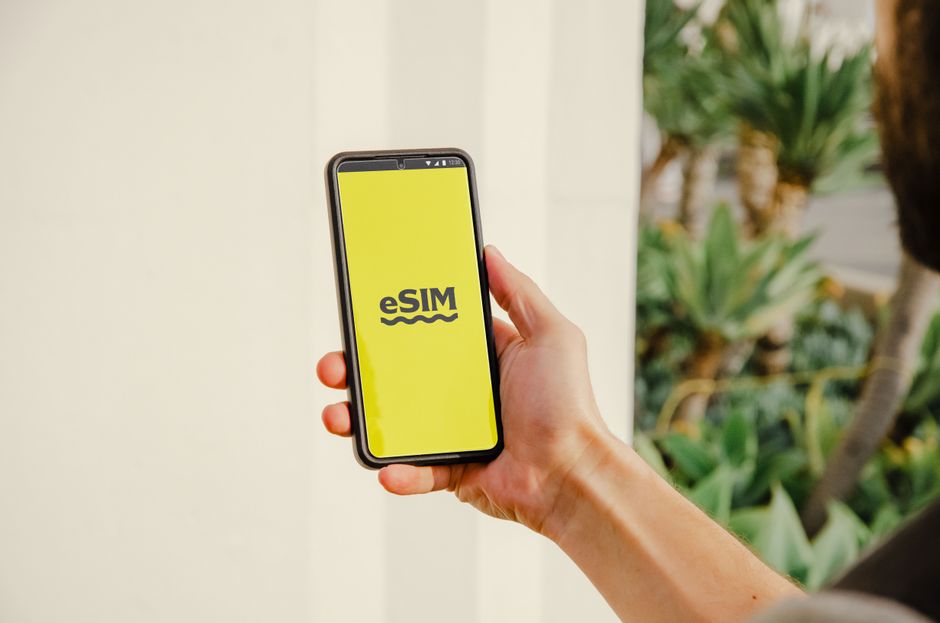
Photo: Jacob — Pexels
Part of our Morocco eSIM guide: all articles and key facts →
Introduction: Staying Connected in Morocco
Morocco is a land of vibrant souks, sweeping Sahara dunes, and bustling medinas. But staying connected while exploring can be a challenge. You have two main options: a travel eSIM or a pocket WiFi device. Both have pros and cons, but in 2026, eSIM technology has become the preferred choice for many Android users. This guide will help you decide which is best for your trip, covering costs, coverage, convenience, and device compatibility.
What Is an eSIM and How Does It Work on Android?
An eSIM (embedded SIM) is a small chip built into your phone, replacing the physical SIM card. This chip, called an eUICC (embedded Universal Integrated Circuit Card), can store multiple carrier profiles. When you purchase a travel eSIM for Morocco, you receive a QR code or an activation code. Scanning it downloads the carrier profile onto your phone’s eUICC, instantly connecting you to a local Moroccan network.
It’s important to understand that an eSIM requires both hardware support (your phone must have an eUICC chip) and carrier support (the eSIM provider must have a partnership with a Moroccan network). Most modern Android devices like the Samsung Galaxy S26, Google Pixel 10, Xiaomi 17, Motorola Edge 70, and OnePlus 15 support eSIM. However, some budget models, especially from Xiaomi or Oppo, may not. Always check your phone’s specifications before relying on eSIM.
What Is Pocket WiFi and How Does It Work?
A pocket WiFi is a small portable router that connects to the local cellular network and broadcasts a WiFi signal. You carry it in your pocket, and your phone, tablet, or laptop connects to it like any other WiFi network. In Morocco, you can rent a pocket WiFi at the airport or order one online to be delivered to your hotel. It typically comes with a pre-installed Moroccan SIM card and a data allowance.
Key Comparison: eSIM vs Pocket WiFi for Morocco
| Feature | eSIM | Pocket WiFi |
|---|---|---|
| Setup | Scan QR code, install in minutes | Rent device, charge, connect via WiFi |
| Device needed | Your own phone (with eSIM support) | Portable router + your phone |
| Carrying burden | None (it’s inside your phone) | Must carry and charge another device |
| Battery impact | Minimal (uses your phone’s radio) | Separate battery, needs recharging |
| Data sharing | Only on your phone (unless hotspot) | Can share with multiple devices |
| Cost (7-day trip, 5GB) | About €10–18.50 (1 October 2026) | About €34 for 7 days of unlimited 4G, plus a refundable €40–50 deposit |
| Coverage | Depends on the plan: many use Orange Maroc only, some all three networks | Depends on the network of the rented device |
| Flexibility | Can switch providers or top up online | Fixed rental period, return required |
Why eSIM Is Often the Better Choice for Morocco
Convenience and Instant Activation
With an eSIM, you can purchase and activate your data plan before you even land. As soon as your plane touches down in Casablanca or Marrakech, you switch on your eSIM profile and you’re online. No queuing at airport kiosks, no fiddling with tiny SIM cards, and no risk of losing a rental device. This is a massive advantage for travellers who want to start navigating immediately.
Cost Efficiency
Pocket WiFi rentals involve a daily fee, a refundable deposit and a device to return. An eSIM, on the other hand, is a one-time purchase. On 1 October 2026, an eSIM with 5 GB valid for at least a week cost about €10–18.50, and an unlimited week about €23.70–32. In our survey of 25 September 2026, pocket WiFi rentals were advertised at around €5 a day, about €34 for a week with unlimited 4G for up to 10 devices, plus a refundable deposit of €40–50. Plus, you don’t have to worry about returning the device.
Battery Life and Weight
Carrying a pocket WiFi means another device to charge and keep track of. It adds weight to your bag and drains your patience when the battery dies in the middle of a desert tour. An eSIM uses your phone’s own battery, and modern Android phones are efficient at managing cellular radios. You’ll have one less thing to charge every night.
Security and Reliability
Using a pocket WiFi in a crowded medina can expose your data to others if the network is unsecured. An eSIM is private and secure, as it’s tied to your device’s hardware. Also, eSIM profiles are encrypted, and you can easily delete them after your trip – no need to wipe a rented device.
When Pocket WiFi Might Be the Better Option
There are still scenarios where a pocket WiFi makes sense. If you are travelling with a group or family and want to share one data connection across multiple phones, tablets, and laptops, a pocket WiFi is ideal. It also works if your phone doesn’t support eSIM – for example, older budget Android models or some Chinese domestic versions. In such cases, a pocket WiFi is a reliable fallback.
Another consideration is data-heavy activities like streaming or video calls. The pocket WiFi rentals we surveyed on 25 September 2026 advertise unlimited 4G. eSIM plans for Morocco are not limited to 10 or 20 GB either: most sellers offer unlimited plans, and fixed plans go up to 50 or 100 GB for 30 days. Many unlimited eSIMs slow down after a daily allowance at full speed (1 to 3 GB a day among the well-known brands that publish one), so check that figure if you plan to stream or to share the connection with a laptop.
How to Check if Your Android Phone Supports eSIM
Before buying an eSIM, you must verify that your phone has an eUICC chip and that the carrier supports it. Here’s how to check on Android:
- Go to Settings > Network & Internet > SIMs (or “Mobile Network”).
- Look for an option like “Add eSIM” or “Download a SIM instead.” If you see it, your phone likely has eSIM hardware.
- Alternatively, dial *#06# – if your phone shows an EID (Embedded Identity Document) number, it has eSIM support.
You can also download the eSIM Check app from the Google Play Store. This free app scans your device and tells you if it’s eSIM-compatible and which carriers support it. It’s a quick, reliable way to avoid disappointment.
Top eSIM Providers for Morocco in 2026
Several reputable eSIM providers offer Morocco coverage. They do not all use the same networks: of the 142 providers whose Moroccan network the esimdb database records, 80 use Orange Maroc only and 34 use all three (Maroc Telecom, Orange and Inwi), so check the network before you buy. Some popular ones include Airalo, Holafly, and Nomad. When choosing, compare data allowances, validity, and price. Also check whether the plan includes 5G: commercial 5G launched in Morocco on 7 November 2025 and accounted for 8.4% of mobile internet subscriptions at the end of March 2026, according to the ANRT, and many travel eSIM plans are still listed as 4G/LTE.
What to Look For in an eSIM Plan
- Coverage: Ensure the eSIM uses a major Moroccan network.
- Data allowance: 3GB to 5GB is enough for a week of light use (maps, messaging, browsing).
- Validity: Pick a plan that matches your trip length.
- Top-up options: Some providers allow you to buy extra data if you run out.
- Customer support: Look for 24/7 chat or email support.
Coverage and Speed in Morocco
Pocket WiFi devices and eSIMs both run on Moroccan networks, but not always the same one: many travel eSIMs use Orange Maroc only, so coverage depends on the network each option uses. In the ANRT’s 2024 tests across 71 cities, average 4G download speeds were 106 Mbps in Marrakech, 119 in Fes, 97 in Casablanca and 92 in Rabat, and 102 in Ouarzazate, 78 in Errachidia and 73 in Zagora. No official measurements exist for the Atlas valleys or the dunes, so do not count on a signal there.
Setting Up Your eSIM on Android: Step-by-Step
- Purchase an eSIM plan online from a provider like Airalo or Holafly.
- You’ll receive a QR code via email or in the provider’s app.
- On your Android phone, go to Settings > Network & Internet > SIMs > Add eSIM.
- Scan the QR code. If prompted, enter the activation code.
- Name your eSIM (e.g., “Morocco Data”) and set it as your data line.
- Keep your home SIM active for calls/SMS, but set the eSIM as default for mobile data.
That’s it. You’ll be online within minutes. Remember to enable data roaming for the eSIM: a travel eSIM connects to Moroccan networks as a roaming profile, and its price already covers that use.
Tips for Maximising Your eSIM Experience
- Download offline maps for Morocco in Google Maps before you go – it saves data.
- Use WhatsApp or Telegram for calls and messages – they work over data.
- Monitor your data usage in Settings > Network & Internet > Data usage.
- Keep your home SIM active for two-factor authentication (bank apps, etc.).
- Delete the eSIM after your trip to free up space on your eUICC.
Conclusion: Which Should You Choose?
For most travellers in 2026, an eSIM is the clear winner. It’s cheaper, more convenient, and less hassle than carrying a pocket WiFi. You’ll have instant connectivity, no extra device to charge, and you can manage your plan entirely from your phone. The only reasons to choose pocket WiFi are if you have a non-eSIM phone, need to share data across many devices, or want one unlimited connection shared across several devices.
Before you buy, always verify your phone’s eSIM compatibility. Use the eSIM Check Android app to be 100% sure. Then pick a reliable provider, download your eSIM, and enjoy your Moroccan adventure without connectivity worries.
So, pack your bags, leave the pocket WiFi behind, and embrace the future of travel connectivity with an eSIM. Your phone – and your wallet – will thank you.
Where to Rent a Pocket WiFi in Morocco
If your phone turns out not to be eSIM-compatible — or you are travelling as a family and prefer one shared connection for every device — renting locally is easy: Moroccan specialist Rent A Phone offers pocket wifi rental in Morocco with unlimited data, delivered to your hotel, riad or the airport anywhere in the country.
Frequently Asked Questions
Is eSIM better than pocket WiFi for Morocco?expand_more
How do I know if my Android phone supports eSIM?expand_more
Will eSIM work in remote areas of Morocco?expand_more
Can I use my home SIM for calls and eSIM for data in Morocco?expand_more
Check your own phone in seconds
The free eSIM Check app reads your device's real hardware capabilities — no guesswork.
Get it on Google Play