August 24, 2026
Why Your iPhone Says eSIM Not Supported: Fixes & Facts
Discover why your iPhone displays 'eSIM not supported' and how to fix it. Learn about carrier support, eUICC hardware, and regional restrictions in 2026.
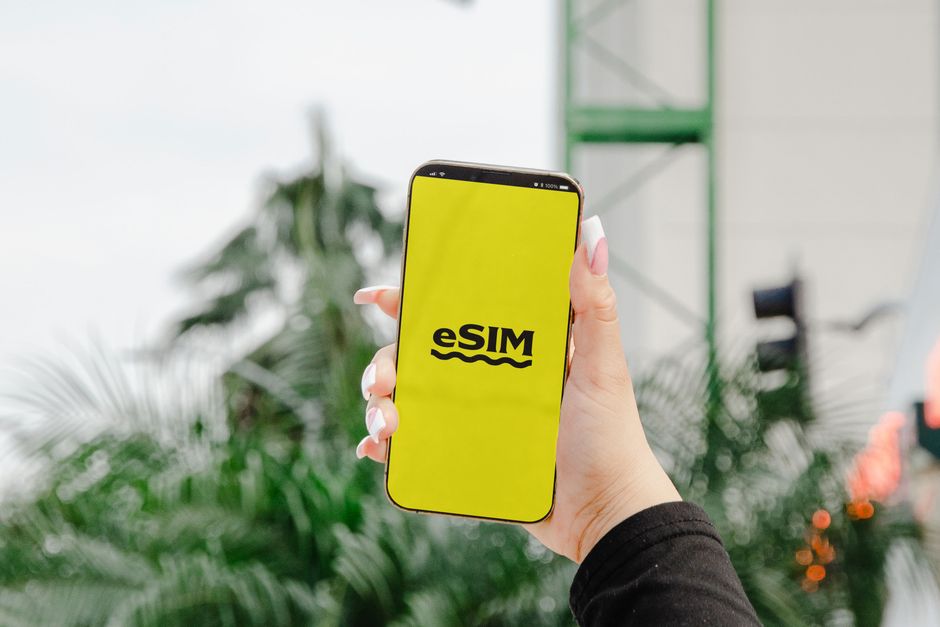
Photo: Jacob — Pexels
Understanding the 'eSIM Not Supported' Message on iPhone
If you have ever tried to activate an eSIM on your iPhone and encountered the message 'eSIM not supported', you are not alone. This error can be confusing, especially when you know your iPhone model supports eSIM. The reality is that eSIM activation depends on three pillars: hardware (eUICC chip), carrier support, and iOS software. If any of these are missing or misconfigured, your iPhone will reject the eSIM profile.
In this article, we will break down every possible reason why your iPhone says eSIM is not supported, and provide actionable solutions. We will also clarify how eSIM technology works on Android devices like Samsung Galaxy, Google Pixel, and Xiaomi, so you can compare and troubleshoot effectively.
What Is an eSIM and How Does It Work?
An eSIM (embedded SIM) is a small chip soldered onto your phone's motherboard. Unlike a physical SIM card, it cannot be removed. The chip is called an eUICC (embedded Universal Integrated Circuit Card). It stores multiple carrier profiles, and you can switch between them digitally. To activate an eSIM, you typically scan a QR code provided by your carrier or use a carrier app.
For an eSIM to work, your device must have the eUICC hardware, and your carrier must support eSIM provisioning for your specific device model. Even if your iPhone has the hardware, a carrier that does not offer eSIM for iPhones will cause the 'not supported' error.
Common Reasons Why Your iPhone Says eSIM Not Supported
1. Your iPhone Model Does Not Support eSIM
While most modern iPhones support eSIM, older models do not. The iPhone XS, XS Max, and XR were the first to include eSIM support in 2018. If you have an iPhone 8 or earlier, your device lacks the eUICC chip entirely. In that case, you will see the 'eSIM not supported' message. Check your model: iPhone XS and newer (including iPhone SE 2nd generation and later) support eSIM. However, most iPhones sold in mainland China have no eSIM (they use two nano-SIM slots instead); the exceptions are the iPhone Air, iPhone 17e, iPhone 18 Pro and iPhone 18 Pro Max.
2. Carrier Lock or Regional Restrictions
Carriers often lock iPhones to their network. A locked iPhone will only accept eSIM profiles from that specific carrier. If you try to add an eSIM from another carrier, you will get an error. Also, some countries have restrictions on eSIM usage. For example, in certain regions, eSIM is only available for postpaid plans, not prepaid. If your carrier does not support eSIM for your plan type, the message will appear.
3. Carrier Does Not Support eSIM on iPhone
Even if your iPhone is unlocked and has the eUICC chip, your carrier might not offer eSIM provisioning for iPhones. Many smaller carriers and MVNOs (Mobile Virtual Network Operators) only support eSIM on Android devices or do not support it at all. Always check with your carrier before attempting to activate an eSIM.
4. iOS Version Outdated or Corrupted
eSIM functionality is tightly integrated with iOS. If your iPhone is running an outdated iOS version, it may not recognize the eSIM profile. Apple regularly updates eSIM features and fixes bugs. Ensure your iPhone is updated to the latest iOS version (iOS 18 or later in 2026). A corrupted iOS can also cause this issue; a restore via iTunes or Finder may help.
5. eSIM Profile Corruption or Expired QR Code
If you are scanning a QR code that is damaged, expired, or already used, your iPhone will fail to install the eSIM profile. The message 'eSIM not supported' may appear if the profile is incompatible with your device. Request a new QR code from your carrier.
6. Hardware Fault in the eUICC Chip
Although rare, the eUICC chip can be faulty. If your iPhone has been dropped or exposed to water, the chip might be damaged. In that case, you will need to visit an Apple Store or authorized service provider for diagnostics.
How to Fix 'eSIM Not Supported' on iPhone
Step 1: Verify Your iPhone Model and Region
Go to Settings > General > About and check your model number. If your iPhone is a model sold in mainland China, it most likely has no eSIM: there, only the iPhone Air, iPhone 17e, iPhone 18 Pro and iPhone 18 Pro Max have one. For other regions, ensure your iPhone is not a refurbished unit with a replaced motherboard that lacks eSIM.
Step 2: Check Carrier Support
Contact your carrier and ask: 'Do you support eSIM on iPhone for my plan?' If they say no, you cannot use eSIM. You may need to switch to a carrier that supports eSIM. Many global providers like AT&T, Verizon, T-Mobile, Vodafone, and Orange support eSIM on iPhone. Smaller carriers may not.
Step 3: Update iOS
Go to Settings > General > Software Update. Install any pending updates. In 2026, Apple has made eSIM setup more streamlined with iOS 18 and later, but only if you are on a supported version.
Step 4: Remove and Re-add eSIM Profile
If you previously had an eSIM that stopped working, go to Settings > Cellular > Add eSIM. If a profile is already there, remove it first. Then scan the QR code again. Make sure you have a stable Wi-Fi connection during the process.
Step 5: Reset Network Settings
Resetting network settings can clear glitches. Go to Settings > General > Transfer or Reset iPhone > Reset > Reset Network Settings. This will not erase your data but will reset Wi-Fi, Bluetooth, and cellular settings. After the reset, try adding the eSIM again.
Step 6: Restore iPhone via Finder or iTunes
If nothing works, back up your iPhone and restore it as new. This will reinstall iOS and fix any corrupted system files that may block eSIM activation.
eSIM on Android: A Quick Comparison
While this article focuses on iPhone, it is helpful to know that eSIM issues are not exclusive to Apple. Android devices like Samsung Galaxy S26, Google Pixel 10, Xiaomi 17, Motorola Edge 70, and OnePlus 15 all support eSIM, but the activation process may differ. On Android, you usually go to Settings > Network & Internet > SIMs > Add eSIM. Some Android phones support eSIM only on specific models or carrier variants. For example, a Samsung Galaxy purchased from a carrier may have eSIM disabled in the firmware.
| Device | eSIM Support | Activation Method |
|---|---|---|
| iPhone XS and newer | Yes (except most mainland China models) | QR code, carrier app, or manual |
| Samsung Galaxy S21+ and newer | Yes | QR code or carrier app |
| Google Pixel 3 and newer (except some regions) | Yes | QR code or carrier app |
| Xiaomi 12T Pro and newer | Yes (varies by region) | QR code or carrier app |
| Motorola Razr and Edge series | Yes | QR code or carrier app |
| OnePlus 11 and newer | Yes | QR code or carrier app |
Carrier Support: The Hidden Variable
Even if your iPhone hardware is perfect, carrier support is the most common reason for the 'eSIM not supported' error. A carrier must have an eSIM management system (SM-DP+ server) to deliver profiles. If your carrier has not enabled eSIM for iPhones, you cannot bypass this. Some carriers only support eSIM on postpaid plans, not prepaid. Others require you to visit a store in person to get a QR code. Always ask for a 'eSIM activation QR code' specifically for your iPhone model.
Regional Differences in eSIM Support
In 2026, eSIM is widely available in North America, Europe, and parts of Asia. However, some countries still rely heavily on physical SIMs. For example, in many Latin American and African countries, eSIM support is limited. If you buy an iPhone from one region and use it in another, the carrier may not support eSIM for your device's region code. This is why you might see the error even when traveling.
What to Do If Your iPhone Is eSIM-Compatible but Still Fails
If you have confirmed that your iPhone model supports eSIM, your carrier supports it, and your iOS is updated, but the message persists, try the following:
- Contact your carrier to ensure your eSIM profile is active and not suspended.
- Ask for a new QR code if the old one has expired.
- Try using a carrier app instead of QR code scanning.
- Check if your iPhone is unlocked. If it is locked to a specific carrier, only that carrier's eSIM will work.
- Visit an Apple Store for a hardware diagnostic.
How to Check eSIM Compatibility Before Buying a Phone
If you are planning to buy a new phone and want eSIM, always check the specifications. For iPhones, look for 'eSIM' in the tech specs. For Android, check the manufacturer's website. As a rule of thumb, any flagship phone from 2020 onwards supports eSIM, but budget models may not. For example, the Samsung Galaxy A15 does not have eSIM, while the Galaxy A54 does. Similarly, every Google Pixel from the Pixel 4 onward has eSIM, including the Pixel 4a, 5a and 6a. Always verify before purchasing.
Conclusion
The 'eSIM not supported' message on your iPhone can be frustrating, but it is usually solvable. Start by checking your iPhone model, carrier support, and iOS version. If all are fine, you may have a hardware issue that requires professional help. Remember that eSIM technology is still evolving, and carrier policies change frequently. In 2026, eSIM is the standard for new phones, but support is not universal.
If you are an Android user facing similar issues, the same principles apply. Always ensure your device has the eUICC chip and that your carrier supports eSIM for your exact model. Many Android phones, such as Samsung Galaxy and Google Pixel, have excellent eSIM support, but regional variants may differ.
Finally, before you travel or switch carriers, always double-check eSIM compatibility. A quick call to your carrier can save you hours of troubleshooting.
We hope this guide has helped you understand why your iPhone says 'eSIM not supported' and how to fix it. If you are still unsure about your device's eSIM capabilities, we recommend using the free eSIM Check Android app to verify your phone's hardware and carrier support. It is a simple tool that gives you a clear answer in seconds.
Frequently Asked Questions
Can I force my iPhone to support eSIM if it is not supported?expand_more
Why does my iPhone say 'eSIM not supported' even though I have an iPhone 14?expand_more
Does eSIM work on all iPhone models in 2026?expand_more
How can I check if my Android phone supports eSIM?expand_more
Check your own phone in seconds
The free eSIM Check app reads your device's real hardware capabilities — no guesswork.
Get it on Google Play