August 22, 2026
Running Two Travel eSIMs at the Same Time: A 2026 Guide
Learn how to run two travel eSIMs simultaneously on Android in 2026. Discover device support, carrier policies, setup steps, and troubleshooting tips.
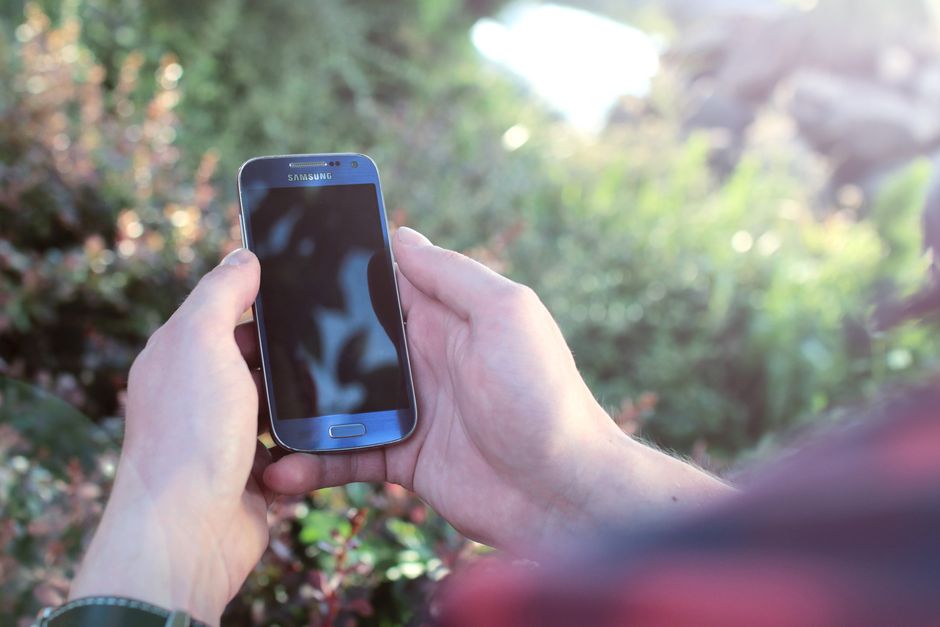
Photo: JÉSHOOTS — Pexels
Why You Might Need Two Travel eSIMs
Traveling internationally often means juggling multiple mobile networks. Maybe you have a personal eSIM from one country and a business eSIM from another. Or perhaps you want to keep your home number active while using a local data plan. In 2026, the ability to run two travel eSIMs at the same time on a single Android device is not just a convenience—it’s a game-changer for frequent flyers, digital nomads, and anyone crossing borders.
However, not every phone supports this feature. Even when it does, carrier policies can limit how you use them. This guide explains exactly how dual eSIM works, what you need to check, and how to set it up on your Android device.
Understanding eSIM Basics
An eSIM (embedded SIM) is a small chip built into your phone, called an eUICC. Unlike a physical SIM, you don’t insert it—you download a profile onto the chip using a QR code or an activation code from your carrier. The profile contains your network credentials, and you can switch between profiles without swapping cards.
But here’s the catch: an eSIM only works if both your device’s hardware supports it and your carrier offers eSIM activation. Many modern phones have the hardware, but some carriers still don’t provide eSIM profiles for prepaid travel plans. Always verify carrier support before you buy.
Dual eSIM Capability: What It Means
Dual eSIM means your phone can hold two active eSIM profiles simultaneously. In practice, you can have one profile for calls and texts (your home number) and another for data (your travel plan). Some phones even allow two eSIMs to be active for both voice and data, but you usually choose one for data at a time.
This is different from dual SIM with one physical SIM and one eSIM. Since physical SIM slots are disappearing on flagship devices, dual eSIM is becoming the standard for high-end Android phones.
Which Android Phones Support Dual eSIM?
As of 2026, most flagship and mid-range Android devices from major brands support at least two eSIM profiles. Here are some examples:
- Samsung Galaxy S26, S25, and newer – Support dual eSIM with both active. Galaxy Z Fold and Flip models also support it.
- Google Pixel 7 and newer – Pixel 11, 10 and 9 support dual eSIM. Pixel 6 and 6a support one eSIM plus a physical SIM.
- Xiaomi 13 and newer – Xiaomi 13, Xiaomi 14 and the 15 series support dual eSIM, but China models have no eSIM (and the Xiaomi 14 Pro and 14 Ultra have none at all).
- Motorola Edge 70 and newer – Motorola has added dual eSIM support to its Edge series.
- OnePlus 11 and newer – OnePlus 15 and 13 support dual eSIM, but the OnePlus 11 only supports one eSIM in some variants.
Always check the exact model and region. For example, a Samsung Galaxy S26 bought in the US may have different eSIM capabilities than one bought in Europe. The best way is to look at your phone’s settings or use a reliable checker app.
Carrier Policies: The Other Half of the Equation
Even if your phone supports dual eSIM, your carriers must allow it. Some carriers only support one eSIM per device, or they may not allow switching between profiles without a new QR code. Travel eSIM providers like Airalo, Holafly, and Nomad generally support dual eSIM, but you should read their terms.
For example, some carriers require you to delete a profile before adding another. Others restrict which profile can be used for data. In 2026, most major travel eSIM providers have embraced dual eSIM because it increases their sales. But you should always test before you travel.
How to Set Up Two Travel eSIMs on Android
Here’s a step-by-step guide that works for most Android devices running recent versions (Android 13 and later).
Step 1: Check Your Device’s eSIM Support
Go to Settings > Network & internet > SIMs. If you see an option to “Add eSIM” or “Download a SIM instead,” your device supports eSIM. To check dual eSIM, look for a setting that says “Dual SIM” or “SIM manager.” You can also use a free app like “eSIM Check” from the Google Play Store to verify compatibility.
Step 2: Buy Your Travel eSIMs
Purchase two travel eSIMs from providers that offer instant activation via QR code. Make sure each plan covers your destination and that the provider supports dual eSIM. Some providers allow you to install multiple profiles on one device, but you may need to contact support to enable the second one.
Step 3: Install the First eSIM
Open Settings > Network & internet > SIMs > Add eSIM. Scan the QR code or enter the activation code. Follow the on-screen instructions. Once installed, name it something like “Travel Data 1” so you can identify it later.
Step 4: Install the Second eSIM
Repeat the same process for the second eSIM. If your phone supports dual eSIM, you’ll see both profiles listed under “SIMs.” If you get an error saying “You can only have one eSIM installed,” your device may not support dual eSIM, or your carrier has limited you.
Step 5: Configure Your Defaults
After both are installed, go to Settings > Network & internet > SIMs. You’ll see two SIM cards listed. Tap on each to set its role:
- Mobile data: Choose which eSIM should be used for internet data. You can switch this anytime.
- Calls: Select the default SIM for voice calls.
- SMS: Choose the SIM for sending text messages.
- Data switching: Enable this to automatically switch to the other eSIM if the primary data connection fails.
You can also set preferences per contact, but that’s optional.
Step 6: Test the Connection
Before you leave, test both eSIMs. Disable Wi-Fi and see if data works on the selected eSIM. Then switch data to the other eSIM and test again. Make sure you can make calls and send texts from both numbers if you need that functionality.
Managing Data Usage with Two eSIMs
Running two eSIMs can drain your battery faster because your phone may scan for two networks. To manage this, you can set one eSIM to only use 2G or 3G for calls, and the other for 4G/5G data. However, many phones now support dual 5G standby, which is more efficient.
You can also set data limits for each eSIM in the settings. This is useful if one plan has a small data allowance. Go to Settings > Network & internet > Data usage and set a warning or limit for each SIM.
Common Issues and Troubleshooting
“Only one eSIM can be used at a time”
This message appears when your device doesn’t support dual eSIM or when the carrier has restricted the second profile. Check if your phone model actually supports dual eSIM. If it does, contact the carrier to ensure they allow it.
No signal on one eSIM
Ensure that both carriers have coverage in your area. Sometimes, a travel eSIM only provides data, not voice. Also, check if you’ve set the correct APN settings. Many travel eSIMs require manual APN setup—your provider will give you the details.
QR code not working
Make sure you have an internet connection (via Wi-Fi or a physical SIM) when installing the eSIM. The QR code must be scanned while online. If it fails, request a new QR code from your provider.
Battery draining fast
With two active eSIMs, your phone’s radio is working harder. Turn off the eSIM you’re not using when you don’t need it. Or use “Power saving mode” to reduce network scans.
Real-World Scenarios
Scenario 1: Home Number + Travel Data
You keep your home eSIM active for calls and texts, and you add a travel eSIM for data. This is perfect for staying reachable without paying roaming charges. Set your travel eSIM as the data SIM, and your home eSIM for calls/SMS. If your home carrier supports Wi-Fi calling, you can even use that over the travel data.
Scenario 2: Two Travel Data Plans
You’re visiting multiple countries. You buy one eSIM that covers country A and another that covers country B. You can keep both installed and switch data between them as you cross borders. This saves you from buying a regional plan that might be more expensive.
Scenario 3: Backup Data
You use one travel eSIM as your primary data, and a second one as a backup. If the first provider has a network outage, you can switch to the backup. This is useful for remote work where connectivity is critical.
Security Considerations
When using two eSIMs, be aware that your phone is connected to two networks. Each carrier can see your data usage and, in some cases, your location. Use VPN for sensitive activities. Also, never share your QR codes or activation codes—they can be used to clone your eSIM.
If you lose your phone, you can remotely erase both eSIMs using your Google account. Make sure you have a backup of your eSIM profiles (some providers allow you to re-download them).
The Future of Dual eSIM
By 2026, dual eSIM is becoming a standard feature on Android. Even budget phones now include eUICC chips. However, carrier support is still the bottleneck. As more carriers adopt eSIM, we’ll see even more flexibility. Some phones already support three or more eSIM profiles, but only two can be active at once. This is likely to increase in the coming years.
Conclusion
Running two travel eSIMs on your Android phone is a powerful way to stay connected affordably and reliably. With the right device and carrier support, you can enjoy seamless connectivity across borders. Always verify compatibility before you buy, and test both eSIMs before you travel. If you’re unsure whether your phone supports dual eSIM, use a free tool like the eSIM Check Android app to get instant confirmation. Happy travels!
Frequently Asked Questions
Can I use two travel eSIMs at the same time on any Android phone?expand_more
Do both eSIMs need to be from the same carrier?expand_more
Will using two eSIMs drain my battery faster?expand_more
Can I switch which eSIM uses data without removing a profile?expand_more
Check your own phone in seconds
The free eSIM Check app reads your device's real hardware capabilities — no guesswork.
Get it on Google Play