August 19, 2026
eSIM vs physical SIM: what actually changes for you
eSIM vs physical SIM in 2026: real differences in setup, switching, travel, security, and device support. Learn what changes and what stays the same.
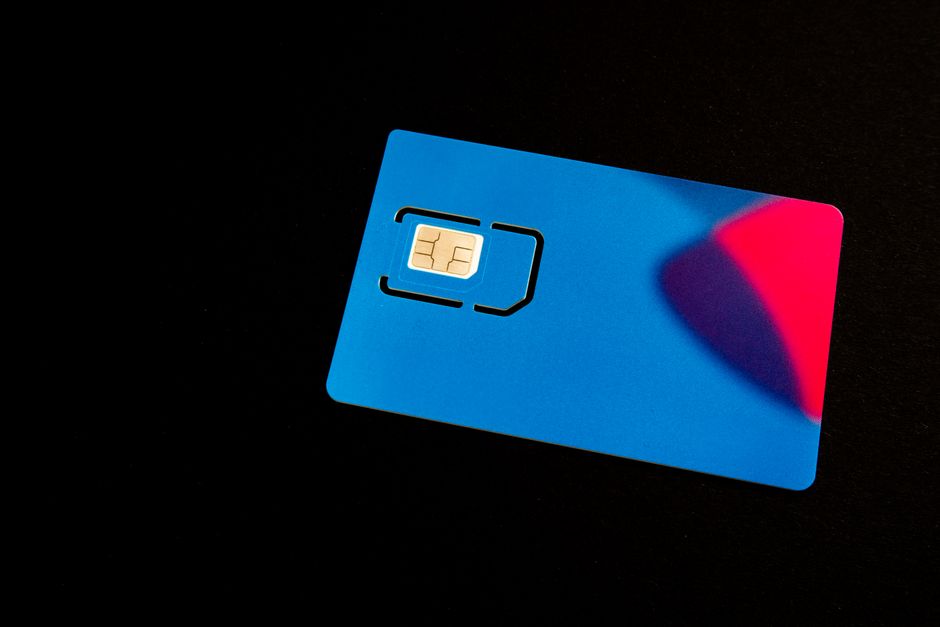
Photo: Pascal 📷 — Pexels
Introduction: the quiet shift from plastic to embedded
For over three decades, the physical SIM card was the key to your mobile identity. A tiny piece of plastic, a gold contact plate, and a carrier profile that connected you to the network. In 2026, that plastic is increasingly optional. The eSIM — an embedded SIM soldered directly onto your phone's motherboard — has moved from flagship novelty to standard feature across Android devices. But what does that actually change for you, the user? Not just in theory, but in daily practice. This article breaks down the real, tangible differences between eSIM and physical SIM, covering setup, switching carriers, travel, security, and the hardware reality you need to understand before making the leap.
What is an eSIM, really?
An eSIM is not a SIM card at all. It is a small, secure chip called an eUICC (embedded Universal Integrated Circuit Card) that is soldered onto your device's logic board. Unlike a physical SIM, it is not removable and does not store a single carrier profile. Instead, the eUICC can hold multiple carrier profiles simultaneously, and you can download, activate, or delete those profiles over the air. Think of it as a blank, reprogrammable identity chip. The carrier profile — which contains your phone number, authentication keys, and network settings — is delivered digitally, usually via a QR code, an app, or a carrier website.
Hardware and carrier support: the two-sided coin
Here is the most important fact you need to remember: an eSIM only works if your device has the eUICC hardware AND your carrier supports eSIM activation. Hardware alone is not enough. A Samsung Galaxy S26 Ultra has eSIM hardware, but if your small regional carrier has not implemented eSIM provisioning, you will still be stuck with a physical SIM. Conversely, a carrier may support eSIM, but if you are using an older budget phone without the chip, you cannot use it. Always check both sides before assuming eSIM is an option.
Physical setup: the first real difference
With a physical SIM, the process is simple: buy a SIM card, open the tray, insert it, wait for the network to register, and you are done. With an eSIM, the setup is digital but varies by carrier. Most carriers in 2026 use a QR code. You go to your carrier's website or app, purchase a plan, and they send you a QR code. On your Android phone, you navigate to Settings > Network & internet > SIMs > Add SIM > Download a SIM instead, then scan the QR code. The profile downloads and activates within minutes. Some carriers, like Google Fi or Airalo, allow you to install the eSIM directly from their Android app with a few taps — no QR code needed. The physical act of swapping a SIM card is gone, replaced by a digital provisioning flow.
Switching carriers: from tray to tap
The biggest practical change is carrier switching. With a physical SIM, switching carriers meant buying a new SIM, waiting for it to arrive by mail or visiting a store, then swapping it. With an eSIM, you can switch carriers in under five minutes, provided the new carrier supports eSIM. You simply download the new carrier's profile, and in most Android phones you can have two active eSIM profiles at once (dual SIM dual standby). This means you can keep your old number active for calls and texts while you trial a new carrier's data plan. For example, on a Google Pixel 10, you can have one eSIM for your primary carrier and a second eSIM for a travel data plan, both active simultaneously. The physical SIM tray, if your phone still has one, becomes a backup for rare cases where eSIM is not supported.
Travel: the killer use case
For international travel, the eSIM has completely changed the game. In the past, you either paid exorbitant roaming fees or bought a local physical SIM at the airport. Now, with an eSIM, you can purchase a local or regional data plan from services like Airalo, Holafly, or Nomad before you even board the plane. You scan a QR code or install the profile from their app, and as soon as you land, you have data. No hunting for a SIM shop, no juggling tiny plastic cards. The key advantage is that your primary eSIM (your home number) can remain active for calls and texts, while the secondary eSIM provides data. On a Samsung Galaxy S23 or S24, you can assign calls, texts, and data to different SIMs. This is especially useful for two-factor authentication codes that go to your home number.
Security and loss: what happens when you lose your phone?
With a physical SIM, if you lose your phone, a thief can remove the SIM and put it in another phone to receive your SMS codes, potentially compromising your accounts. With an eSIM, the SIM is soldered in and cannot be removed. This is a genuine security improvement. However, it also means that if your phone is stolen, you cannot simply pop the SIM into a backup phone. You must contact your carrier to suspend the eSIM profile, then re-download it on your new device. Most carriers have this process down to a few minutes, but it is an extra step compared to physical SIM. On the flip side, eSIM profiles can be remotely wiped by the carrier, making it harder for a thief to misuse your number.
Dual SIM and device flexibility
In 2026, most flagship Android phones support dual SIM with at least one eSIM slot. Many support dual eSIMs. Here is a quick snapshot of current support:
| Device | Physical SIM slots | eSIM support |
|---|---|---|
| Samsung Galaxy S25/S26 series | 1 (or 2 in some regions) | Dual eSIM |
| Google Pixel 9/10 series | 1 (or 2 in some regions) | Dual eSIM |
| Xiaomi 15/17 series | 1 or 2 (regional) | Single or dual eSIM (varies by model) |
| Motorola Edge 70 series | 1 | Single eSIM |
| OnePlus 15/13 | 1 or 2 (regional) | Dual eSIM |
Note that even if a phone has two physical SIM slots, you can often use one physical SIM and one eSIM simultaneously, or two eSIMs. This flexibility is a major advantage for people who want separate work and personal numbers. However, not all budget phones include eSIM hardware. For example, many entry-level Xiaomi Redmi or Samsung Galaxy A-series models do not have eUICC chips. Always verify before buying.
Activation speed and carrier lock
One subtle change is carrier lock policies. With physical SIMs, some carriers lock a phone to their network, and you need an unlock code. With eSIM, the lock still exists, but the provisioning is digital. Some carriers have started to use eSIM as a way to enforce device locks more strictly, because the profile is tied to the device's unique eUICC ID. However, in many countries, regulations require carriers to unlock phones after a certain period. In 2026, most major carriers in the US and Europe offer eSIM unlock codes or automatic unlock after contract fulfillment. The practical advice: always ask your carrier about eSIM lock policies before switching.
Environmental and practical considerations
There is a small environmental benefit to eSIM: no plastic cards, no packaging, no shipping. But the real practical benefit is the ability to change plans without waiting for a physical SIM to arrive. For example, if you are on a prepaid plan and want to switch to a postpaid plan from the same carrier, you can often do it in the app with an eSIM profile update. Similarly, if you are a frequent traveler, you can keep your home eSIM active and add a temporary data eSIM for a weekend trip, then delete it when you return. The deletion is instant — no SIM card to lose or store.
What does not change?
It is easy to overstate the eSIM revolution. Your phone number, your billing, your data plan, and your carrier relationship remain exactly the same. The eSIM is just a different way to store the same information. You still need a carrier to provide the profile. You still need to pay for service. And you still need to manage your plan. The change is in the physical interaction: no more SIM tray tools, no more swapping cards, no more waiting for a SIM in the mail. But the underlying telecom infrastructure — towers, billing systems, number portability — is unchanged.
How to check if your device supports eSIM
If you are reading this in 2026, you likely have a device that is less than four years old. But support is not universal. The easiest way to check is to open your phone's Settings app and look for a SIM or network section. On most Android devices, go to Settings > Network & internet > SIMs. If you see an option to "Add SIM" or "Download a SIM instead," your device has eSIM hardware. If you only see "Physical SIM" options, your device likely does not support eSIM. Alternatively, you can check your device's official specifications on the manufacturer's website. For a quick and reliable check, you can use the free eSIM Check Android app, which scans your device's hardware and tells you if eSIM is supported, and even lists compatible carriers in your region. That app is especially useful because it reads the actual eUICC presence, not just the marketing specs.
Potential drawbacks and pitfalls
While eSIM is convenient, it is not without issues. First, if you switch phones frequently, you must re-download your eSIM profile each time — a process that takes a few minutes but is not as instant as popping a SIM. Second, if you are in a remote area with no internet connection, you cannot download a new eSIM profile. You need Wi-Fi or a data connection to activate. This is a real concern for international travelers who land without Wi-Fi. However, most airports and hotels offer free Wi-Fi, and many carriers allow you to pre-download profiles before you travel. Third, some carriers charge a fee for eSIM activation, though this is becoming rare. Finally, if you have a very old phone that only supports physical SIM, you cannot switch to eSIM without buying a new device.
The bottom line: what actually changes for you
In summary, the switch from physical SIM to eSIM changes the following: you no longer handle a physical card; you can switch carriers in minutes; you can have multiple active profiles for travel; and your SIM cannot be removed if your phone is stolen. It does not change your phone number, your plan, or your carrier's coverage. The transition is gradual, and physical SIM slots are still present on most phones as a fallback. But as more carriers and devices embrace eSIM, the physical SIM will become a relic, much like the floppy disk. The key is to understand that eSIM is a convenience upgrade, not a revolutionary change in how mobile networks work. It is a better way to manage your connectivity, but it requires both hardware and carrier support to function. So, before you assume you can use eSIM, check your device and your carrier. And if you are unsure, the free eSIM Check Android app is the fastest way to get a definitive answer.
Ready to see if your phone is eSIM-ready? Download the eSIM Check app from the Google Play Store and find out in seconds.
Frequently Asked Questions
Is eSIM better than physical SIM for security?expand_more
Can I use both a physical SIM and an eSIM at the same time?expand_more
Do all carriers support eSIM?expand_more
How do I check if my Android phone has eSIM?expand_more
Check your own phone in seconds
The free eSIM Check app reads your device's real hardware capabilities — no guesswork.
Get it on Google Play