August 20, 2026
Using an eSIM in the USA: What Travellers Should Check
Planning a US trip? Learn what to check before using an eSIM in the USA – device compatibility, carrier support, coverage, and setup tips for 2026.
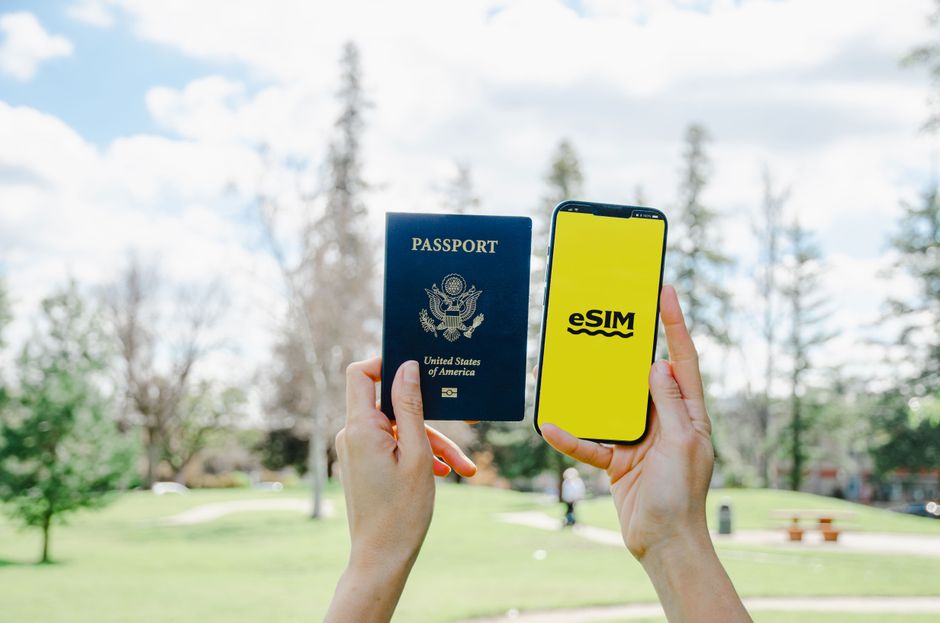
Photo: Jacob — Pexels
Why eSIM is a Game-Changer for US Travel
For international travellers, the eSIM has transformed how we stay connected. Instead of hunting for a physical SIM card at a kiosk or paying exorbitant roaming fees, you can now download a digital profile directly onto your phone. In 2026, eSIM support is more widespread than ever, but using an eSIM in the USA still requires careful checks before you land. This guide walks you through everything you need to verify, ensuring you get reliable coverage without surprises.
What Exactly is an eSIM? (And Why It Matters)
An eSIM (embedded SIM) is a small chip, technically called an eUICC (embedded Universal Integrated Circuit Card), soldered directly into your device. Unlike a physical SIM, it can store multiple carrier profiles and switch between them digitally. When you purchase a US eSIM plan from a provider like Airalo, Holafly, or a local carrier such as T-Mobile or AT&T, you receive a QR code or an activation link. Scanning it downloads the carrier profile to your eUICC, turning your phone into a US-compatible device almost instantly.
However, there is a critical distinction: an eSIM requires both hardware support and carrier support. Your phone must have an eUICC chip, and the carrier you choose must offer eSIM activation for your specific device model. Not all phones with eSIM hardware work with every carrier – some carriers whitelist certain models. Always verify both sides of the equation.
Check 1: Does Your Phone Support eSIM?
Most flagship smartphones released after 2020 include eSIM support, but it is not universal. Here is a quick breakdown by brand:
- Apple iPhone: Starting with the iPhone XS/XR (2018), all iPhone models have eSIM. The US versions of the iPhone 14 and later are eSIM-only – they lack a physical SIM tray entirely.
- Samsung Galaxy: The Galaxy S20 series (2020) and newer, including the S21, S22, S23, S24, and the new S25 series, support eSIM. The Galaxy Z Fold and Z Flip lines also support it, starting with the Z Fold 2 and Z Flip 5G.
- Google Pixel: Pixel 3 and later (except the original Pixel 3 in some regions) support eSIM. Pixel 6 and newer have full eSIM management.
- Xiaomi: Xiaomi added eSIM support to the 12T Pro, 13 series, and 14 series. Many older models do not support eSIM, so check carefully.
- Motorola: The Motorola Razr (2019), Razr 5G, Edge+ (2023), and newer Edge models have eSIM. Budget Moto G series phones mostly lack eSIM.
- OnePlus: The OnePlus 11 and 12 (except Indian models), 13 and 15 support eSIM. The OnePlus 10 Pro, the OnePlus 9 series and the Nord models have no eSIM according to OnePlus's spec sheets.
If you are unsure, the simplest method is to check your phone's settings: go to Settings > Connections > SIM card manager (Samsung), Settings > Network & Internet > SIMs (Pixel/Android), or Settings > Cellular > Add Cellular Plan (iPhone). If you see an option to add a mobile plan or eSIM, your hardware is ready. For a definitive answer, use the free eSIM Check Android app – it scans your device and tells you if eSIM is supported and which carriers are compatible.
Check 2: Carrier Support and Compatibility
Even if your phone has an eUICC, the US carrier you choose must support eSIM on that specific device. Here is what to consider:
Major US Carriers
AT&T, T-Mobile, and Verizon all offer eSIM. They generally support most international eSIM-compatible phones. However, they may require that your phone is unlocked and not blacklisted. T-Mobile is known for being the most open, while AT&T and Verizon sometimes have stricter IMEI checks. If you plan to use a local prepaid eSIM from these carriers, visit their websites and enter your IMEI to confirm compatibility.
Travel eSIM Providers
Companies like Airalo, Holafly, and Nomad sell US travel eSIMs that run on local networks (usually T-Mobile or AT&T). They offer flexible data packages for 7, 15, or 30 days. These providers usually state which networks they use, but they do not guarantee that your phone will work – that depends on your device's hardware and the carrier's network. For example, if your phone lacks the correct LTE bands for T-Mobile, you may get poor coverage even though the eSIM activates fine.
Carrier Whitelisting
Some carriers maintain a whitelist of approved devices. If your phone is not on the list, the eSIM may not activate. This is rare for travel eSIMs, but it happens with local postpaid plans. Always read the fine print and check the provider's compatibility page using your IMEI number.
Check 3: Coverage and Network Bands
The USA is vast, and coverage varies dramatically. A travel eSIM that works flawlessly in New York City may be useless in rural Montana. Before buying, check the coverage map of the underlying carrier. T-Mobile has excellent urban coverage but weaker rural reach; AT&T and Verizon have broader rural coverage. Also, verify that your phone supports the necessary LTE/5G bands. US carriers use specific frequency bands (e.g., Band 12/71 for T-Mobile, Band 13 for Verizon). Most international phones support these bands, but some budget models do not. If your phone lacks Band 71, you may lose signal in rural areas.
Check 4: Your Phone is Unlocked
An eSIM will not work on a carrier-locked phone unless the lock is removed. If you bought your phone from a carrier (e.g., Vodafone in Europe, or a regional carrier in Asia), it may be locked to that carrier. Contact your original carrier to unlock it before your trip. Many carriers unlock phones automatically after the contract period, but some require a request. Without an unlocked device, you cannot use a US eSIM, no matter how compatible the hardware is.
Check 5: Data Plans and Costs
US data plans can be expensive if you choose the wrong option. Compare:
| Provider Type | Example | Typical Cost for 10GB/30 days | Notes |
|---|---|---|---|
| Major carrier prepaid | T-Mobile Prepaid | $40 | Full network access, includes 5G |
| Travel eSIM | Airalo | $26 | Data-only, no phone number |
| Travel eSIM | Holafly | $59 | Unlimited data, but throttled after 5GB/day |
| Local MVNO | Mint Mobile | $15 (with annual plan) | Must buy 3+ months, but very cheap |
Travel eSIMs are often data-only, meaning you cannot make traditional voice calls or send SMS. You can use WhatsApp, FaceTime, or Google Voice over data. If you need a US phone number, consider a local prepaid eSIM from T-Mobile or AT&T, which includes voice and text. Also, watch for fair usage policies – some unlimited plans reduce speed after a certain threshold.
Check 6: Activation and Installation
Activating an eSIM is usually simple, but you need a stable internet connection. Here is a typical process:
- Purchase a plan from your chosen provider. You will receive a QR code via email or in the provider's app.
- On your phone, go to Settings > Network & Internet > SIMs > Add eSIM (Android) or Settings > Cellular > Add Cellular Plan (iPhone).
- Scan the QR code. The profile downloads and installs.
- Set the eSIM as your default for data. If you want to keep your home SIM active for calls/SMS, you can enable dual SIM mode.
Some providers offer instant activation via an app, which is even easier. However, if you are already in the USA without internet, you may struggle. Download the eSIM profile before you leave home, or ensure you have Wi-Fi at the airport. Also, note that some eSIMs have a validity period that starts at activation, not at purchase. Read the terms carefully.
Check 7: Dual SIM Considerations
Most modern phones support dual SIM with one physical SIM and one eSIM, or two eSIMs (on newer models). This is useful if you want to keep your home number active for banking OTPs while using the US eSIM for data. However, be aware that when you use dual SIM, your phone may consume more battery. Also, some phones only allow one eSIM to be active at a time, so you must switch profiles manually. Check your phone's specifications for dual eSIM support – the Pixel 7 and later, Samsung Galaxy S23 and later, and iPhone 13 and later support dual eSIM.
Check 8: eSIM Management and Troubleshooting
If you face issues, here are common fixes:
- No signal: Check that the eSIM is enabled in settings. Restart your phone. If the problem persists, delete the eSIM and re-scan the QR code.
- Slow data: Your plan may be throttled. Check your data usage. Also, ensure you are connected to the correct APN – some providers require manual APN settings.
- Activation failed: Verify your phone is unlocked and that the IMEI is compatible. If you bought the eSIM from a third-party provider, contact their support – they may need to resend the QR code.
Always keep a screenshot of your eSIM QR code in a secure place, in case you need to reinstall it.
Top US eSIM Providers in 2026
Here is a quick comparison of popular options:
- Airalo: Budget-friendly, pay-as-you-go, data-only. Good for short trips.
- Holafly: Unlimited data plans, 24/7 support, but pricier.
- T-Mobile Prepaid: If you want a US number and robust coverage, this is a solid choice. You can buy an eSIM online and activate it before you arrive.
- AT&T Prepaid: Similar to T-Mobile, with good rural coverage. Their eSIM activation is slightly more cumbersome.
- Verizon Prepaid: Excellent coverage but often the most expensive. eSIM activation requires a physical SIM first in some cases.
Before purchasing, read recent reviews on Reddit or travel forums to see what other travellers say about coverage in the specific states you plan to visit.
Final Checklist Before You Fly
To summarise, here is your pre-trip checklist:
- Confirm your phone has eSIM hardware (check settings or use the eSIM Check app).
- Ensure your phone is carrier-unlocked.
- Choose a provider that explicitly supports your phone model.
- Check the coverage map for the regions you will visit.
- Buy and install the eSIM profile before departure, or have a backup plan (e.g., portable Wi-Fi).
- Test the eSIM at home (if possible) by turning off your physical SIM and seeing if you get signal.
- Save your QR code and provider support contact.
By following these checks, you can enjoy seamless connectivity across the USA without the hassle of physical SIMs or roaming bills. The eSIM ecosystem is mature in 2026, but a little preparation goes a long way.
Still unsure if your Android phone supports eSIM? Download the free eSIM Check Android app from the Google Play Store. It will scan your device and give you a clear answer in seconds, including a list of compatible carriers. Don't leave your connectivity to chance – check before you travel.
Frequently Asked Questions
Can I use an eSIM in the USA if my phone is locked to a carrier?expand_more
Will a travel eSIM give me a US phone number?expand_more
How do I know if my Android phone supports eSIM?expand_more
What happens if my eSIM doesn't work in the USA?expand_more
Check your own phone in seconds
The free eSIM Check app reads your device's real hardware capabilities — no guesswork.
Get it on Google Play