October 16, 2026
Moving your eSIM to a new Android phone: Samsung to Samsung, Pixel to Pixel and across brands
Transfer an eSIM from Android to Android: Samsung and Pixel menus, the code on screen, versions, carriers that allow it, and what breaks, 16 Oct 2026
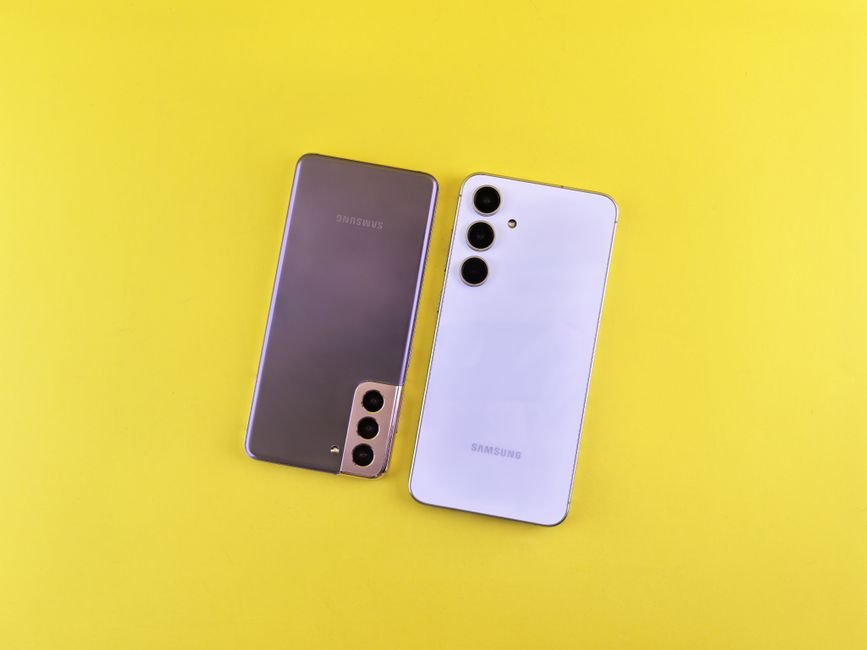
Photo: Andrey Matveev — Pexels
To transfer an eSIM from Android to Android, put both phones side by side, open the SIM settings on the new phone, choose the transfer option and confirm on the old phone. Samsung and Pixel both have it built in, but your carrier must support the feature. Paths, versions and carrier lists below were checked on 16 October 2026.
Key takeaways
- On a new Pixel the eSIM transfer is under Settings › Network & internet › SIMs › Add SIM › Transfer SIM from another device, and Google requires Android 12 or later, current Google Play services and a screen lock on both phones.
- On a new Samsung Galaxy the path is Settings › Connections › SIM manager › Add eSIM, then the transfer option, which Samsung UK labels "Transfer SIM from Galaxy/Android phone"; the old phone confirms with a 6-digit code shown on the new one.
- The transfer only works when your carrier supports it: Samsung lists O2, Spusu UK and EE in the UK, Free Mobile, SFR and Orange in France, and Telekom, Vodafone, 1&1 and O2 in Germany, while travel eSIMs from Airalo or Holafly cannot be moved to another phone.
Which transfer path does your new phone use?
The menu you need depends on the new phone, not the old one: you always start the transfer on the phone that will receive the eSIM. The old phone only confirms. This table gives the official path for each case, copied from the manufacturer or carrier page named in the last column.
| New phone | Path on the new phone | Source |
|---|---|---|
| Google Pixel | Settings › Network & internet › SIMs › Add SIM › Transfer SIM from another device | Google Pixel Help |
| Samsung Galaxy (UK and US wording) | Settings › Connections › SIM manager › Add eSIM › Transfer SIM from Galaxy/Android phone (UK) or Transfer SIM from another phone (US) | Samsung UK and Samsung US support |
| Samsung Galaxy tablet | Settings › Connections › SIM manager › Add eSIM › Transfer SIM from another tablet | Verizon Business |
| Motorola and other brands | No phone-to-phone path in the manufacturer guide we found: use your carrier's app or QR code | Motorola user guide |
Table checked on 16 October 2026. Samsung uses different labels for the same button depending on the country page, so do not worry if your screen says "another phone" rather than "Galaxy/Android phone": it is the same feature.
What do you need before you start?
Both phones need recent software, a screen lock, Wi-Fi and Bluetooth, and the new phone must be unlocked. Each source adds its own detail, and they do not all ask for the same minimum version.
- Google: the Pixel help page on transferring a SIM asks for "Android 12 or later", "the current version of Google Play Services" and a screen lock on both the new and the current device.
- Samsung: the Samsung UK eSIM page says "Your new device must be unlocked for the transfer to be successful". It does not name a One UI version. Our guide to locked and unlocked phones explains how to check.
- EE: the EE eSIM help page asks that the device is "connected to WiFi, Bluetooth is turned on, and is on the latest software".
- Verizon: the Verizon Business transfer page gives exact numbers, listed in the version section below.
Two more things help. Charge both phones, because Verizon asks that both devices are "charged and kept close together" during the transfer. And keep the old phone working: it is the only device that can approve the move. If you no longer have it, the transfer described here is not possible and you will need a replacement eSIM from your carrier, as explained in our guide to moving an eSIM without the old phone.
Samsung to Samsung: the steps
Samsung calls the feature eSIM Instant Transfer. The Samsung US SIM support page and the Samsung UK page describe the same flow after set-up:
- On the new Galaxy, open Settings and tap Connections.
- Tap SIM manager, then Add eSIM.
- Tap Transfer SIM from Galaxy/Android phone (UK label) or Transfer SIM from another phone (US label).
- A 6-digit verification code appears on the new phone. On the old phone, a pop-up appears: tap Transfer and type that code.
- On the new phone, select the number to move and tap Transfer.
- Confirm on the old phone, then tap Done when it finishes. Samsung US says: "The SIM in your new device will be activated."
You can also do it while setting up the new phone. AT&T's guide for the Galaxy S25 says that on the "Connect to a mobile network" screen you tap Transfer SIM from Galaxy/Android phone, then enter the verification code on your other device. Verizon's consumer Samsung page describes a variant where the new phone shows a QR code instead of a code: at "Easy setup with another device" you tap "Galaxy or Android device", then the old phone taps "Set up" and scans the QR code.
When the transfer is done, check that the line is switched on. Verizon's instructions end by telling you to tap the switch to the right of the carrier name in SIM manager to turn the eSIM on. The Swiss carrier yallo adds a last step: tap "Remove" on the old phone to delete its copy of the eSIM. Do this only once calls and data work on the new phone.
Which Galaxy phones can send and receive? Samsung's own pages do not publish a model list. Verizon Business does: new phone Galaxy S24 or later; old phone Galaxy S21 or later, Z Fold 3 or later, Z Flip 3 or later, XCover6 Pro or later, or Galaxy A54 5G, on One UI 6.1. Other carriers may accept older models: yallo asks you to check "the old mobile has at least One UI 5.1". Our Samsung Galaxy eSIM list and the Galaxy S24 page show which models have an eSIM at all.
Pixel to Pixel: the steps
Google's help page gives two routes. During set-up of the new Pixel: have the other device near, go through the set-up flow, choose the SIM you want to transfer, tap Transfer and then Activate, and wait for activation. After set-up:
- Open the Settings app on the new Pixel.
- Tap Network & internet, then SIMs.
- Tap Add SIM, then Transfer SIM from another device.
- On the "Transfer a SIM" screen, Verizon's Pixel guide says to tap Pixel or Android device.
- Follow the prompts on the old phone to select the number and confirm. Verizon's guide uses a QR code at this step.
- Back on the new Pixel, open the SIM and turn on the Use eSIM switch if it is off.
Google says the process "may be automatic" depending on your carrier. It also gives one reassurance worth knowing before you start: "Your existing device or eSIM can still work even if your eSIM transfer isn't successful." A failed attempt does not wipe your line.
Verizon Business lists its own requirements for a Pixel-to-Pixel move on its network: Pixel 8a or later as the supported models, Android 10 or later and Google Play services 24.35 or later. On other carriers, Google's own minimum (Android 12) is the one to follow. Our Google Pixel eSIM page lists every Pixel with an eSIM, and the Pixel 8 page covers the 8a.
Can you transfer an eSIM from a Pixel to a Samsung, or back?
Yes, when your carrier supports it: both menus accept another Android brand as the source. Samsung's UK label says it directly: Transfer SIM from Galaxy/Android phone. Google's help page is written for "Android phones and tablets", not only Pixels.
The only primary source we found that sets numbers for a mixed move is the Verizon Business eSIM transfer page. For a transfer between a Pixel and a non-Pixel phone it asks for:
- Old phone: Android 10 or higher and Google Play services 24.35 or above.
- New phone: Android 14 or above and Google Play services 24.04 or higher.
The same page shows the notification on the old device for the case where that old device is a Pixel; it does not describe what the old phone shows when it is another brand. If nothing appears on the old phone, Verizon's checklist is the screen lock on the old phone, Bluetooth on both phones close together, and the requirements above.
In practice:
- Pixel to Samsung: on the Galaxy, use Settings › Connections › SIM manager › Add eSIM › Transfer SIM from Galaxy/Android phone, then confirm on the Pixel.
- Samsung to Pixel: on the Pixel, use Settings › Network & internet › SIMs › Add SIM › Transfer SIM from another device, choose Pixel or Android device, then confirm on the Galaxy.
Neither Google nor Samsung publishes a brand-by-brand compatibility list. If the transfer option is missing, or the old phone never shows a request, Google, Samsung and O2 all point to the carrier route below.
Motorola, Xiaomi, OnePlus and other Android brands
We found no manufacturer page from Xiaomi, OnePlus, Oppo, Vivo, Honor or Nothing that documents a phone-to-phone eSIM transfer with exact menu labels, so we do not give one here. Motorola's Android 16 user guide for the motorola edge 70 fusion only covers downloading an eSIM, at Settings › Network & internet › SIMs & mobile network › Download new SIM, and erasing it "When you transfer the eSIM number to another phone". It adds: "Only erase your eSIM when instructed to do so by a support technician."
Two practical ways to find out what your phone offers:
- Open Settings and type "transfer" or "SIM" in the search bar. If a "Transfer SIM" option appears under the SIM menu, use it with the old phone nearby.
- If nothing appears, use the carrier route: request the eSIM for the new phone in the carrier's app or account. This is the method our guide to activating an eSIM on Android walks through.
Our brand pages for Motorola and Xiaomi and Redmi list which models have an eSIM in the first place.
Which carriers support Android eSIM transfer?
Only carriers that have switched the feature on: Samsung lists the carriers that "may allow eSIM Instant Transfer", and if yours is missing, expect to ask the carrier for a new eSIM. Samsung publishes the most complete list. Here are the main markets from the Samsung UK and Samsung US pages.
| Country | Carriers that may allow Galaxy eSIM transfer | Source |
|---|---|---|
| United Kingdom | O2, Spusu UK, EE | Samsung UK |
| France | Free Mobile, SFR, Orange | Samsung UK |
| Germany | Telekom, Vodafone, 1&1, O2 | Samsung UK |
| Spain | MasOrange, Movistar | Samsung UK |
| United States | AT&T, Boost Mobile, Cricket, FirstNet, Mint Mobile, Spectrum Mobile, T-Mobile, U.S. Cellular, Verizon, Xfinity Mobile | Samsung US |
| Canada | Bell, Koodo Mobile, TELUS, Virgin Plus, Lucky Mobile, Rogers, SaskTel, Fido, Freedom Mobile | Samsung US |
Lists checked on 16 October 2026. The Samsung US page lists Germany without O2, the UK page with it: carriers are added over time, so a carrier missing from one page may already support the feature. For Galaxy-to-Galaxy moves Samsung adds: "If you need assistance, please contact your network carrier." For transfers from an iPhone it is explicit: if your carrier is not on the list, "you need to contact your network carrier to help move your eSIM to a new device".
Google does not publish a carrier list for Pixel. Its page simply says that if your device "didn't automatically detect eSIM transfer, contact your carrier to activate your eSIM".
The carrier route when direct transfer is not offered
The phone-to-phone transfer is a shortcut, not the only way: carriers also issue a new eSIM for a new phone through their own app, website or shops. A few examples from carrier help pages:
- O2 UK: its eSIM help page says "If a transfer can't be completed automatically, you may need a replacement eSIM", and that you can generate a new QR code in My O2 by choosing "Install SIM". O2 adds that an eSIM "costs the same as a plastic SIM".
- EE: in the EE app, Manage › Mobile and SIMs › Check Settings › Replace my SIM/eSIM. EE lists this route for moving from an iPhone, after deleting an eSIM, or when a phone is lost or stolen.
- Verizon: for cases outside the standard flow, Verizon Business gives a support number, 1-877-807-4646.
Once the new eSIM is installed, our guide to eSIM QR codes explains why the old code from your first activation usually cannot be scanned again.
Why would an Android eSIM transfer fail?
The usual causes are a carrier that does not support the feature, software below the minimum, a missing screen lock, Bluetooth off, or a travel eSIM that is locked to the first phone. Verizon's own checklist when the pop-up does not appear on the old phone has three points: the screen lock is active on the previous device, Bluetooth is on with both phones close together, and both phones meet the software and hardware requirements.
Each cause, the fix and the error screens are covered in our separate guide: eSIM transfer not working.
Can you move a travel eSIM to a new Android phone?
Usually not: most travel eSIM providers lock the eSIM to the first phone it was installed on, so the Android transfer menu will not move it. The phone-to-phone feature is built for carrier lines with a phone number. Provider policies, from their own help centres:
- Airalo: "The Airalo eSIM can only be installed on one device." If the old phone is unusable, the remaining data cannot be recovered or moved. If the old phone still works, Airalo suggests using its personal hotspot to share the data.
- Holafly: "it can't be transferred to another device". Holafly allows reinstalling "up to 4 times in total on the exact same phone".
- Nomad: "eSIMs cannot typically be transferred to another phone", with one exception: eSIMs "provided by Amber" can be reinstalled on a different device once deleted from the first.
So if you change phones mid-trip, either keep the old phone as a hotspot until the plan ends or buy a new plan for the new phone. Do not delete a travel eSIM from the old phone hoping to reinstall it elsewhere: our page on recovering a deleted eSIM explains why that is often final.
After the transfer: what to check
- The new line is on: open the SIM menu and check that the eSIM is switched on and chosen for calls, texts and mobile data.
- The old line is off: Apple states that the new plan deactivates the old SIM when it activates on iPhone; Google and Samsung do not say this for Android, so check the old phone. If it still shows the line, remove it only after the new phone makes a call.
- Several eSIMs: Google's tip: "If you already have another eSIM on your device, turn it on." Our guide to how many eSIM profiles an Android phone can store explains the limits.
- Data shared during the move: Google's SIM transfer data page says identifiers such as the IMEI, phone number, carrier name and device model can be shared with the carrier, and that SIM and device identifiers are shared "so it can perform SIM transfer and issue a new eSIM". The data collected during the transfer is encrypted in transit.
Moving between an iPhone and an Android phone instead? That uses a different flow with its own requirements, covered in our guide to transferring an eSIM between iPhone and Android. And if you are not sure your new phone has an eSIM at all, start with the full list of eSIM-compatible devices.
Frequently Asked Questions
How do I transfer my eSIM from one Samsung to another Samsung?expand_more
Can I transfer an eSIM from a Pixel to a Samsung?expand_more
Do I need the old phone to transfer an eSIM on Android?expand_more
Why is there no transfer option on my new Android phone?expand_more
Can I move my Airalo or Holafly eSIM to a new Android phone?expand_more
Check your own phone in seconds
The free eSIM Check app reads your device's real hardware capabilities — no guesswork.
Get it on Google Play