August 14, 2026
eSIM QR Codes: How They Work and Why They Expire
Learn how eSIM QR codes work, why they expire, and what to do if yours stops working. A practical 2026 guide for Android users.
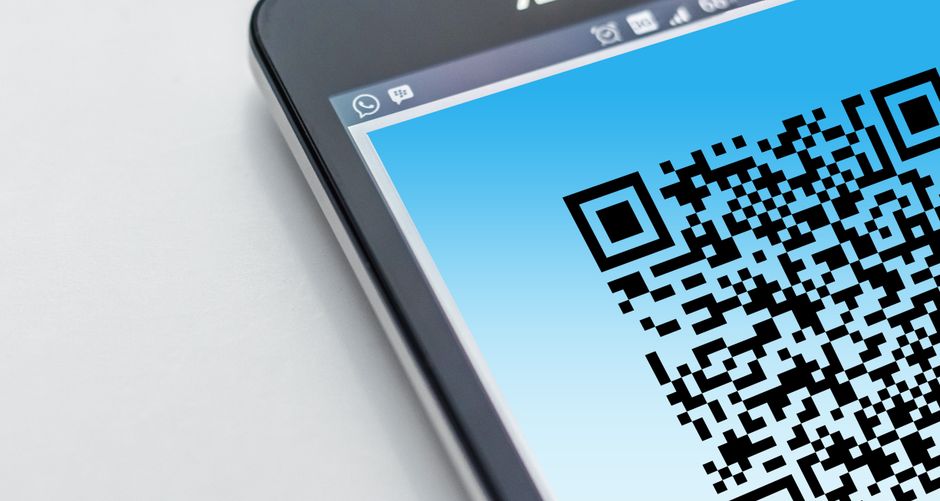
Photo: Pixabay — Pexels
What Is an eSIM QR Code?
An eSIM QR code is a visual, machine-readable representation of an activation profile for an embedded SIM (eUICC) chip inside your smartphone. Unlike a physical SIM card, which you insert into a tray, an eSIM is a tiny chip soldered onto your device's motherboard. To activate it, your carrier or eSIM provider gives you a QR code that, when scanned with your phone's camera, downloads and installs the necessary network profile.
The QR code itself contains a string of data—often in the form of an SM-DP+ address and an activation code—that tells your device where to securely fetch the eSIM profile. This profile includes your network credentials, authentication keys, and other carrier-specific settings.
How eSIM QR Codes Work
When you scan an eSIM QR code, your phone contacts the carrier's provisioning server (SM-DP+) over an internet connection, authenticates the request, and downloads the encrypted profile. The profile is then installed onto your eUICC chip. After installation, the QR code has served its purpose—it is no longer needed for daily use. However, you may need to keep it safe if you want to reinstall the profile after a factory reset or when switching devices.
The Role of the eUICC Chip
The eUICC chip is the hardware component that stores multiple eSIM profiles. It complies with the GSMA standard, ensuring that profiles can be downloaded and managed securely. All modern flagship and many mid-range Android phones include an eUICC. For example, the Samsung Galaxy S26 series, Google Pixel 10 and 9 series, Xiaomi 17 series, Motorola Razr 40 Ultra, and OnePlus 15 all support eSIM. However, hardware support is only half the equation—your carrier must also offer eSIM activation for your specific device and plan.
Scanning the QR Code
To scan an eSIM QR code on most Android devices, go to Settings > Network & Internet > SIMs > Add SIM > Download a SIM instead. You'll then be prompted to scan the QR code. The process is similar on Samsung Galaxy phones under Settings > Connections > SIM manager. After scanning, the phone will verify the code and download the profile. This usually takes a minute or two, depending on your internet speed.
Why Do eSIM QR Codes Expire?
eSIM QR codes are not designed to be permanent. They often have an expiration date or a limited number of activations. This is a deliberate security and business decision by carriers and eSIM providers. Here are the main reasons:
- Security: An expired QR code reduces the risk of unauthorized use if the code is leaked or shared. Once the code expires, it cannot be used to install the profile on another device.
- Inventory management: Carriers allocate a limited number of activations per QR code. Expiry ensures that unused codes are retired, preventing hoarding or resale.
- Profile versioning: Carriers may update their network configurations. An old QR code might point to an outdated profile, so they expire it and issue a new one.
- Anti-fraud: Expiring codes help prevent SIM-swapping fraud and unauthorized profile transfers.
Typical Validity Periods
There is no universal rule. Some QR codes expire after 24 hours, others after 30 days, and some are valid for a year. It depends on the carrier. For example, travel eSIM providers like Airalo or Holafly often give a validity period that matches your data plan (e.g., 15 days, 30 days). Postpaid carrier QR codes might be valid longer, but still eventually expire. Always check the email or documentation that came with your QR code for its expiration date.
What Happens When an eSIM QR Code Expires?
If you try to scan an expired QR code, your phone will typically show an error message like “QR code expired” or “Invalid code.” The profile will not be downloaded. However, if you already installed the eSIM before the code expired, your connection will continue to work normally. The expiration only affects the ability to install the profile, not the already-installed profile itself.
Can You Reactivate an Expired QR Code?
No, you cannot reactivate an expired QR code. The code is cryptographically signed with a timestamp, and the server rejects it after the expiration date. You must contact your carrier or eSIM provider and request a new QR code. In many cases, you can regenerate a new code from your carrier's app or website. For travel eSIMs, you may need to purchase a new plan.
How to Avoid eSIM QR Code Expiry Problems
- Install the eSIM as soon as you receive the QR code. Don’t wait until you travel or need the connection.
- Save a copy of the QR code in a secure place. Some providers allow you to download the code as a PDF or image. Store it in a password manager or encrypted folder.
- Check the expiration date. Read the email or SMS from your provider carefully. If it’s not stated, contact support.
- If you’re traveling soon, activate the eSIM before you leave. That way, you have time to request a new code if something goes wrong.
Reinstalling an eSIM After a Factory Reset
If you perform a factory reset on your phone, the eSIM profile is typically erased. To restore it, you will need to scan the QR code again. If the QR code has expired, you cannot reuse it. Instead, contact your carrier to issue a new QR code. Some carriers allow you to download the profile again from their app without a QR code, using a one-time password or a link. For example, Google Fi lets you reinstall via the app, and many travel eSIM providers offer a “reinstall” button in their apps.
Device Compatibility and Carrier Support
Not all Android phones support eSIM. Even if your phone has an eUICC chip, your carrier may not support eSIM for your specific device model or plan. For example, a Samsung Galaxy A54 might have eSIM hardware, but some carriers only allow eSIM on flagship models. Always verify both hardware and carrier support before purchasing an eSIM plan. You can check your phone's compatibility by looking in Settings for “SIM manager” or “Add eSIM.” If you don’t see those options, your device likely lacks eSIM support.
Popular Android Phones with eSIM Support (as of 2026)
| Brand | Models |
|---|---|
| Samsung | Galaxy S26, S24+, S24 Ultra, Z Fold 6, Z Flip 6, and newer |
| Pixel 6 and newer (including Pixel 10, 9, and 9 Pro) | |
| Xiaomi | Xiaomi 13, 14, and newer (some models may vary by region) |
| Motorola | Razr 40 Ultra, Razr 50 Ultra, Edge 40 and newer |
| OnePlus | OnePlus 11, 12, and newer (except some budget models) |
Best Practices for Managing eSIM QR Codes
- Use a password manager to store the QR code image or the activation details.
- Never share your QR code publicly—it can be used to install a profile on another device if it’s still valid.
- Immediately delete the QR code from your camera roll after installing the eSIM, unless you plan to reinstall later.
- Test your eSIM before you travel to ensure it’s active and working.
What to Do If Your QR Code Expires
If you find yourself with an expired QR code, don’t panic. Follow these steps:
- Contact your carrier or eSIM provider via their app, website, or customer support.
- Request a new QR code—many providers can generate one instantly.
- If you’re using a travel eSIM, check if your plan is still active. If it has expired, you may need to purchase a new one.
- If your phone was reset and the QR code is expired, explain the situation to support. They can often reissue the profile.
The Future of eSIM Activation
QR codes are not the only way to activate an eSIM. Many carriers now support “instant activation” via an app or a link that automatically installs the profile. Apple’s eSIM Quick Transfer is one example, and Android is moving toward a similar “automatic provisioning” standard. In the future, QR codes may become less common, but they will still be used for many prepaid and travel eSIMs. Understanding how they work and their limitations will help you avoid connectivity issues.
If you’re unsure whether your Android phone supports eSIM, or if you want to check which eSIM profiles you have installed, consider using the free eSIM Check app available on the Google Play Store. It scans your device’s eUICC capabilities and lists installed profiles, making it easy to manage your eSIMs.
Conclusion
eSIM QR codes are a secure and convenient way to activate an embedded SIM. They expire for good reasons—security, inventory control, and profile management. Always install your eSIM promptly, keep a backup of the QR code, and be aware of expiration dates. If your code expires, request a new one from your carrier. With the right knowledge, you can enjoy the flexibility of eSIM technology without any hiccups.
Frequently Asked Questions
Can I reuse an eSIM QR code on multiple devices?expand_more
How long is an eSIM QR code valid?expand_more
What happens if I factory reset my phone and my eSIM QR code has expired?expand_more
Does my Android phone support eSIM?expand_more
Check your own phone in seconds
The free eSIM Check app reads your device's real hardware capabilities — no guesswork.
Get it on Google Play