August 6, 2026
eSIM for Travel in Europe: What to Know Before You Go
Planning a European trip? Learn how eSIM works, which devices support it, how to activate a travel eSIM, and tips to avoid roaming fees in 2026.
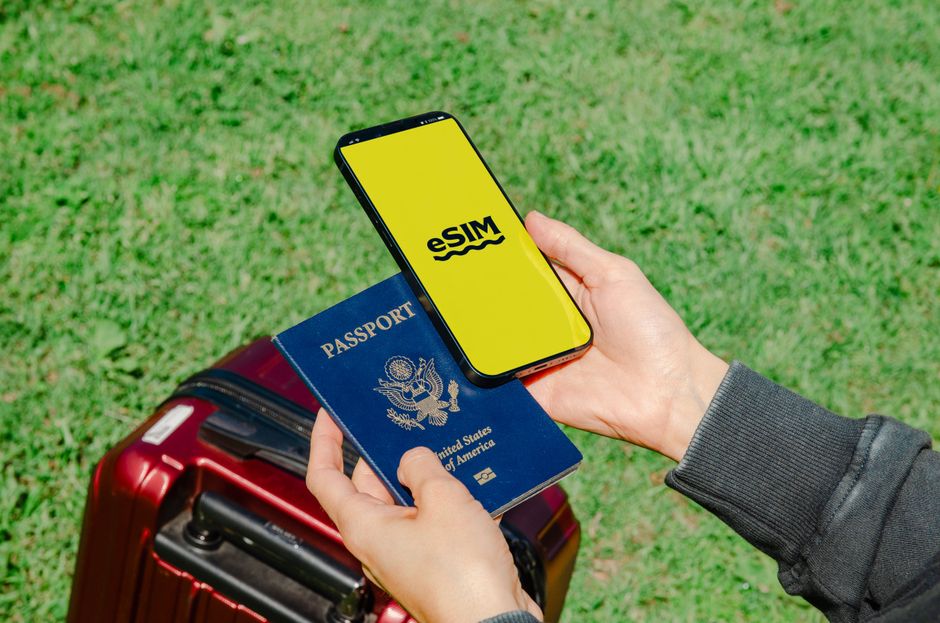
Photo: Jacob — Pexels
Why eSIM is a Game-Changer for European Travel
If you’re planning a trip to Europe in 2026, you’ve likely heard about eSIM technology. Unlike physical SIM cards, an eSIM (embedded SIM) is a digital profile stored on a chip inside your smartphone. This means you can switch carriers, add a local data plan, or activate a travel eSIM without ever visiting a store or waiting for a SIM card to be delivered. For travelers, this translates to instant connectivity, lower costs, and the convenience of keeping your home number active simultaneously.
Europe is particularly well-suited for eSIM adoption. The EU has standardized roaming regulations, meaning that a single eSIM plan purchased from a European provider often works across multiple countries without extra charges. Additionally, many travel eSIM providers offer regional plans covering 30+ European countries, making it easier than ever to stay connected as you hop from Paris to Rome to Berlin.
How eSIM Works: The Tech Behind the Convenience
To understand eSIM, you need to know about the eUICC (embedded Universal Integrated Circuit Card). This is a small chip soldered onto your device’s motherboard. Unlike a traditional SIM, the eUICC can hold multiple carrier profiles, but only one can be active at a time. When you purchase a travel eSIM, you receive a QR code or an activation code. Scanning the QR code downloads the carrier profile onto your eUICC, effectively adding a new line to your device.
This process is called remote provisioning. It’s secure, fast, and doesn’t require any physical swapping. Your phone’s eSIM manager (found in Settings > Cellular or Settings > Mobile Data) lets you switch between profiles, set a default line for voice and data, and even use dual SIM functionality (one physical SIM + one eSIM, or two eSIMs on newer models).
Hardware and Carrier Support: The Two Conditions
It’s crucial to understand that an eSIM works only if both your device hardware supports it and your carrier (or travel eSIM provider) supports it. Most flagship phones released after 2020 come with eSIM capabilities. For example:
- Samsung Galaxy: Galaxy S20 and newer, including the S21, S22, S23, S24, and Galaxy Z Fold/Flip series.
- Google Pixel: Pixel 3 and newer (with the exception of some older models in certain regions).
- Xiaomi: Xiaomi 12T Pro, 13, 13 Pro, 13 Lite and later flagships, except China models (the Xiaomi 12T, 13 Ultra, 14 Pro and 14 Ultra have no eSIM), plus Redmi Note Pro and Pro+ models from the Note 13 series (check specs).
- Motorola: Razr 5G and newer, most Edge models from the Edge 40 (not the Edge 70 Max).
- OnePlus: OnePlus 11 and 12 (except Indian models), 13 and 15; no Nord model has eSIM.
However, even if your phone supports eSIM, your home carrier must allow eSIM activation. Most major US carriers (AT&T, T-Mobile, Verizon) and European carriers (Vodafone, Orange, Telefonica) support eSIM, but some smaller carriers may not. For travel, you don’t need your home carrier to support eSIM if you plan to use a travel eSIM provider like Airalo, Holafly, or eSIM Europe. You simply need an unlocked phone and a compatible eSIM profile.
Choosing the Right eSIM Plan for Europe
When selecting an eSIM plan for Europe, consider the following factors:
- Coverage: Does the plan cover all countries you plan to visit? A regional plan might be more cost-effective than a single-country plan.
- Data allowance: How much data do you need? For navigation, messaging, and occasional social media, 1GB per week might suffice. For heavy streaming, look for unlimited plans.
- Validity: Check the validity period (e.g., 30 days from activation). Ensure it covers your entire trip.
- Speed: Some plans offer 5G, others are 4G LTE. In Europe, 5G is widespread, but budget plans might cap at 4G.
- Price: Compare prices per GB. Travel eSIMs are often cheaper than roaming from your home carrier, but prices vary.
Top eSIM Providers for Europe in 2026
Several reputable providers offer Europe-specific eSIMs. While we won’t endorse any single brand, here are general options:
- Airalo: Known for competitive pricing and flexible packages.
- Holafly: Popular for unlimited data plans with a fixed daily rate.
- eSIM Europe: Focuses on regional plans with good coverage.
- Nomad: Offers data-only plans and a user-friendly app.
Always check customer reviews and ensure the provider supports your device model before purchasing.
How to Activate an eSIM for Europe (Step-by-Step)
Activating a travel eSIM is straightforward, but the exact steps may vary slightly by device. Here’s a general guide:
- Purchase a plan: Buy an eSIM plan from a provider. You’ll receive a QR code or an activation code via email.
- Scan the QR code: Go to your phone’s settings. On iPhone, it’s Settings > Cellular > Add Cellular Plan. On Android, it varies: Samsung: Settings > Connections > SIM card manager > Add eSIM; Google Pixel: Settings > Network & internet > SIMs > Add eSIM; Xiaomi: Settings > SIM cards & mobile networks > Add eSIM.
- Follow prompts: Scan the QR code when prompted. The profile will download to your eUICC.
- Label your plans: Give your travel eSIM a label (e.g., “Europe Data”) to distinguish it from your home line.
- Set default line: Choose which line to use for data. You can also enable “Allow Cellular Data Switching” (iPhone) or “Smart Switch” (Android) to automatically use the best signal.
- Activate on arrival: Many eSIMs activate upon first connection to a supported network. Ensure your travel eSIM is enabled before you land.
Dual SIM Tips: Using Home and Travel eSIM Together
One of the biggest advantages of eSIM is the ability to keep your home number active for calls and texts while using the travel eSIM for data. To do this:
- Set your home line as the default for voice and SMS.
- Set your travel eSIM as the default for data.
- Disable data roaming on your home line to avoid unexpected charges.
- On iPhone, you can turn off “Allow Cellular Data Switching” to prevent your home line from using data.
- On Android, you can choose which SIM uses data; the other will remain on standby.
This setup ensures you receive OTPs (one-time passwords) from your bank or messaging apps without incurring roaming charges.
Cost Comparison: eSIM vs. Traditional Roaming vs. Local SIM
Let’s break down the costs for a two-week trip to Europe, assuming 5GB of data:
| Method | Typical Cost | Pros | Cons |
|---|---|---|---|
| Home carrier roaming | $50–$100 (or more) | No setup, keeps your number | Expensive, data caps |
| Local SIM (physical) | $20–$40 | Local rates, wide availability | Need to find a store, swap SIMs, lose home number |
| Travel eSIM | $15–$30 | Instant, keeps home number, often cheaper | Requires eSIM-compatible device |
As you can see, eSIM often offers the best balance of cost and convenience. Moreover, you can purchase and install the eSIM before you leave home, so you’re ready as soon as your plane lands.
Potential Pitfalls and How to Avoid Them
While eSIM is reliable, there are a few common issues:
- Device not eSIM-compatible: Always double-check your device’s specifications. If in doubt, consult the manufacturer’s website or the free eSIM Check Android app.
- Carrier lock: If your phone is locked to a specific carrier, eSIM activation may be blocked. Ensure your phone is unlocked before traveling.
- Activation issues: If the QR code fails, try manually entering the activation code (SM-DP+ address and activation code) in your device’s eSIM settings.
- Data not working: Check that your APN settings are correct. Some providers require you to manually add an APN (usually provided on their website or in the confirmation email).
- Coverage gaps: In rural areas, coverage may be sparse. Download offline maps (e.g., Google Maps offline) as a backup.
The Future of eSIM in Europe
By 2026, eSIM has become the standard for new smartphones. European regulators are pushing for broader eSIM support, and many budget carriers now offer eSIM-only plans. The EU’s “Roam Like at Home” regulation ensures that any SIM (physical or eSIM) from an EU provider works across all member states without extra fees. This means if you buy a local eSIM in Spain, you can use it in France, Italy, and beyond without additional charges.
For travelers, this is a huge win. You can buy a single eSIM plan from a European provider and enjoy seamless connectivity across the continent. However, note that travel eSIMs from non-EU providers are not subject to the same regulation, so always check the coverage map.
Conclusion: Your Next Steps
Before you pack your bags for Europe, take a few minutes to ensure your device is eSIM-ready. Check your phone’s settings for “eSIM” or “Add Cellular Plan.” If you’re unsure, download the free eSIM Check Android app to verify compatibility in seconds. Then, compare a few travel eSIM plans, read the fine print, and install your chosen profile. With an eSIM, you’ll land in Europe with instant connectivity, no roaming surprises, and the freedom to explore without worrying about data costs.
Frequently Asked Questions
Does every Android phone support eSIM?expand_more
Can I use a travel eSIM and my home SIM at the same time?expand_more
Will my eSIM work in all European countries?expand_more
How do I check if my Android phone supports eSIM?expand_more
Check your own phone in seconds
The free eSIM Check app reads your device's real hardware capabilities — no guesswork.
Get it on Google Play