September 21, 2026
Sony Xperia eSIM Compatibility: Complete Model List 2026
Complete list of Sony Xperia models with eSIM support in 2026. Learn how eSIM works, carrier requirements, and how to activate on your Xperia.
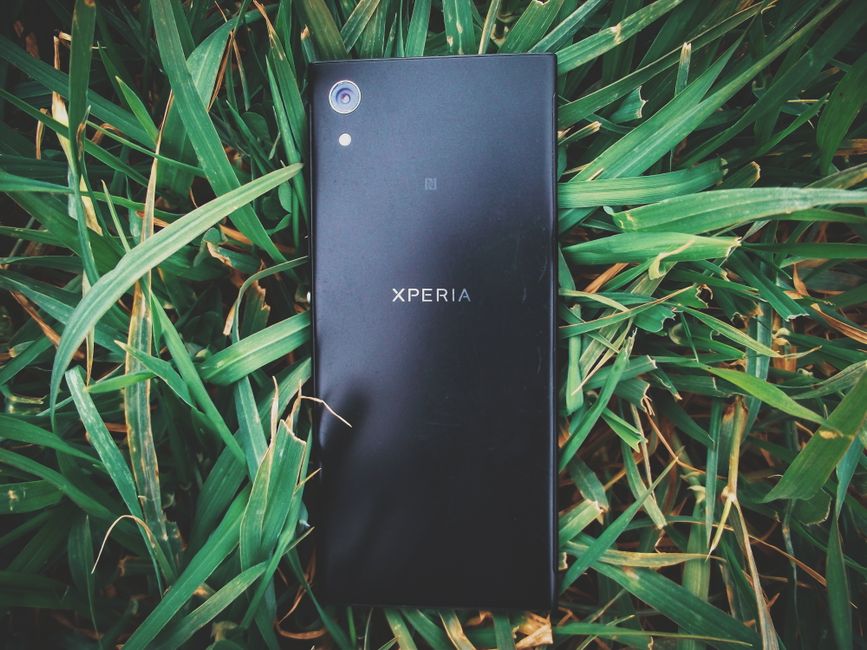
Photo: Mostafa Ft.shots — Pexels
What Is eSIM and Why It Matters for Sony Xperia Users
eSIM (embedded SIM) is a digital SIM that allows you to activate a cellular plan without a physical nano-SIM card. Instead of a removable chip, eSIM uses an eUICC (embedded Universal Integrated Circuit Card) soldered directly onto the device's motherboard. This chip can store multiple carrier profiles and be reprogrammed remotely by your carrier.
For Sony Xperia users, eSIM offers practical benefits: you can switch carriers or add a second line instantly, use local data plans when travelling, and free up the physical SIM tray for a second nano-SIM. However, eSIM requires both hardware support (the eUICC chip) and carrier support (the network must offer eSIM activation). This article covers which Xperia models have the hardware, how to check carrier compatibility, and how to activate an eSIM.
Sony Xperia Models with eSIM Support (2026)
Based on official manufacturer specifications and regulatory filings, the following Sony Xperia models support eSIM technology. This list is authoritative for 2026.
| Model | eSIM Support |
|---|---|
| Sony Xperia 1 VIII | Yes |
| Sony Xperia 1 VII | Yes (XQ-xx54 variant only) |
| Sony Xperia 1 VI | Yes (XQ-EC54 variant only) |
| Sony Xperia 1 V | Yes (XQ-xx54 variant only) |
| Sony Xperia 1 IV | Yes (XQ-xx54 variant only) |
| Sony Xperia 5 V | Yes (XQ-xx54 variant only) |
| Sony Xperia 5 IV | Yes (XQ-xx54 variant only) |
| Sony Xperia 10 VIII | Yes |
| Sony Xperia 10 VII | Yes (XQ-FE54 variant only) |
| Sony Xperia 10 VI | Yes (XQ-ES54 variant only) |
| Sony Xperia 10 V | Yes (XQ-xx54 variant only) |
| Sony Xperia 10 IV | Yes (XQ-xx54 variant only) |
| Sony Xperia 10 III Lite | Yes |
| Sony Xperia Ace III | Yes (au / UQ mobile SOG08 only) |
Note: On most of these models, eSIM is only present on the variant whose model number ends in 54 (XQ-xx54, e.g. XQ-EC54 for the Xperia 1 VI); dual nano-SIM variants (XQ-xx62 / XQ-xx72) have no eSIM. The Xperia Ace III has eSIM only on the au / UQ mobile model (SOG08); the docomo SO-53C has none. Check the model number in Settings > About phone, and always verify with your carrier before purchase.
How to Check if Your Sony Xperia Supports eSIM
There are three reliable methods to confirm eSIM hardware on your Xperia:
- Check Settings: Go to Settings > Network & internet > SIMs. If you see an option like Download a SIM instead? or Add eSIM, your device supports eSIM.
- Dial a USSD code: On some Xperia models, dial
*#*#4636#*#*and look for eSIM in the phone information menu. - Use a dedicated app: The free eSIM Check Android app (available on Google Play) scans your device's hardware and reports eSIM capability instantly.
If none of these show eSIM options, your model likely lacks the eUICC chip. Note that even if hardware is present, your carrier must support eSIM activation.
Carrier Support: The Other Half of the Equation
Having an eSIM-capable Xperia is only half the story. Your mobile network operator must also support eSIM provisioning. Major carriers in the US, Europe, and Asia increasingly offer eSIM, but smaller MVNOs may not. Before you try to activate, check your carrier's website or contact support. Some carriers require you to visit a store for an eSIM QR code, while others provide it online or via an app.
If your carrier does not support eSIM, you can still use a physical SIM. Alternatively, consider switching to a carrier that does. eSIM is particularly useful for dual-SIM setups: you can keep your physical SIM for calls and use an eSIM for data.
How to Activate an eSIM on Your Sony Xperia
Activation steps vary slightly by carrier and Android version, but the general process is:
- Obtain an eSIM activation QR code from your carrier. This may be emailed, displayed in your carrier app, or printed on a card.
- On your Xperia, go to Settings > Network & internet > SIMs.
- Tap Add eSIM or Download a SIM instead?.
- Scan the QR code with your phone's camera.
- Follow the on-screen prompts to download the eSIM profile. This may take a few minutes.
- Once installed, assign the eSIM to calls, data, or both. You can label it (e.g., "Work" or "Travel").
If you don't have a QR code, some carriers support manual activation via an app or a code. Contact your carrier for details.
eSIM on Xperia vs. Other Android Brands
Sony Xperia eSIM support is comparable to other flagship Android devices. For example, Google Pixel models (Pixel 4 and later) and Samsung Galaxy S20 and later support eSIM. Xiaomi offers eSIM on select models like the Xiaomi 14 and 15 series. Motorola's Razr and Edge series also include eSIM. However, not all models from these brands have eSIM—always check the specific model.
Sony's implementation is standard: the eUICC chip supports multiple profiles, and you can store several eSIMs, though only one or two can be active at a time depending on the device. The Xperia 1 and 5 series typically support dual SIM (one physical + one eSIM), while some models may support dual eSIM standby.
Common eSIM Issues on Sony Xperia
If your eSIM isn't working, try these troubleshooting steps:
- Restart your phone: A simple reboot often resolves activation glitches.
- Check carrier settings: Ensure your carrier has provisioned the eSIM correctly. Sometimes a carrier update is needed.
- Verify network coverage: eSIM requires a cellular connection to download the profile. Use Wi-Fi if cellular is unavailable.
- Remove and re-add: Delete the eSIM profile and scan the QR code again.
- Update software: Go to Settings > System > Software update to ensure you have the latest firmware.
If problems persist, contact your carrier. Sony's hardware is rarely the issue; most eSIM failures stem from carrier provisioning.
eSIM Travel Tips for Xperia Users
When travelling, an eSIM is invaluable. You can buy a local data plan from a provider like Airalo, Holafly, or Nomad without visiting a store. Install the eSIM before you depart, and activate it when you land. Keep your physical SIM for home calls. Remember that your Xperia must be carrier-unlocked to use a foreign eSIM. Check with your carrier if unsure.
Future of eSIM on Sony Xperia
Sony has steadily included eSIM in its flagship and mid-range Xperia models since the Xperia 10 III Lite. As eSIM adoption grows, expect future Xperia devices to support dual eSIM (no physical SIM tray) and improved carrier switching. The eUICC standard (GSMA SGP.32) will make remote provisioning even smoother.
Conclusion
Sony Xperia eSIM compatibility is broad across recent models, but it's not universal. Always verify your specific model and carrier support. The easiest way to check is with the free eSIM Check Android app, which scans your device and tells you instantly if eSIM is supported. Download it today to confirm your Xperia's eSIM capability.
Frequently Asked Questions
Does the Sony Xperia 1 VI support eSIM?expand_more
Can I use two eSIMs at the same time on a Sony Xperia?expand_more
How do I activate an eSIM on my Sony Xperia?expand_more
Is eSIM available on all Sony Xperia models?expand_more
Check your own phone in seconds
The free eSIM Check app reads your device's real hardware capabilities — no guesswork.
Get it on Google Play