September 21, 2026
Oppo eSIM Compatibility: Find X, Reno & Full List 2026
Discover which Oppo phones support eSIM in 2026. Full list of Find X, Reno, and other models, plus how eSIM works and carrier requirements.
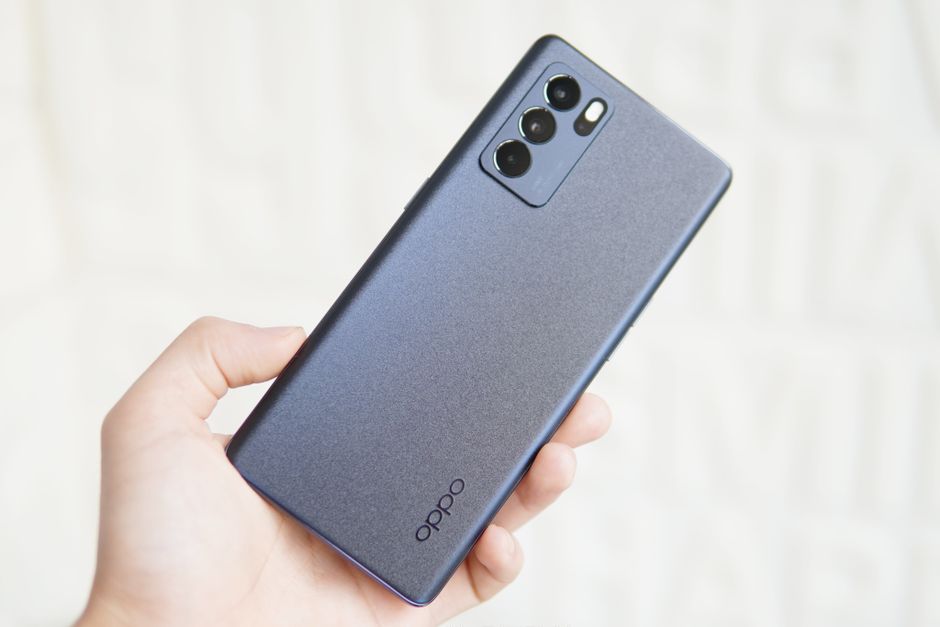
Photo: Md Imran — Pexels
eSIM technology is rapidly reshaping how we connect. Instead of a physical SIM card, an eSIM (embedded SIM) is a tiny chip soldered onto your phone's motherboard. It stores your carrier profile digitally, letting you activate a plan by scanning a QR code or using an app. For travellers, dual-SIM users, and anyone tired of fumbling with tiny plastic cards, eSIM is a game-changer.
But not every phone has an eSIM chip. Even if it does, your carrier must support eSIM activation. This guide focuses on Oppo eSIM compatibility in 2026. We'll list exactly which Oppo models support eSIM, explain the technology, and help you check your own device.
What is eSIM and why does it matter?
An eSIM is a reprogrammable eUICC (embedded Universal Integrated Circuit Card) chip. It's built into your phone and can hold multiple carrier profiles. You can switch between them without swapping cards. The GSMA sets global standards, so an eSIM from one carrier can work on any eSIM-compatible device – provided the carrier supports it.
Key benefits include:
- Convenience: Activate a plan in minutes, no store visit.
- Dual SIM: Use two numbers (e.g., work and personal) on one phone.
- Travel: Buy a local data plan abroad without hunting for a SIM kiosk.
- Security: If your phone is stolen, the eSIM can't be removed.
However, eSIM requires both hardware support (the eUICC chip) and carrier support (the ability to issue an eSIM profile). A phone may have the chip but your carrier might not offer eSIM yet. Always check both.
Oppo eSIM compatibility: the full model list for 2026
Oppo has been slow to adopt eSIM compared to Apple and Samsung. Many Oppo phones, especially mid-range and budget models, lack the eUICC chip. The following models are confirmed to support eSIM. Region matters: most of them have no eSIM in their mainland-China version, and several are sold with eSIM only in Japan. If your Oppo isn't listed, it likely does not support eSIM.
Oppo Find X series
The Find X series is Oppo's flagship line, and most models sold outside mainland China include eSIM support. The following are eSIM-capable:
- Oppo Find X9 / X9 Pro / X9 Ultra (not mainland-China models)
- Oppo Find X9s
- Oppo Find X8 / X8 Pro (not mainland-China models)
- Oppo Find X5 / X5 Pro (not mainland-China models)
- Oppo Find X3 Pro (not mainland-China models)
Note: The standard Find X3 (non-Pro) is not on the list. The Find X6 / X6 Pro and Find X7 / X7 Ultra, sold only in China, have nano-SIM slots only and no eSIM. Regional variants may also differ – always verify with your carrier.
Oppo Find N series (foldables)
- Oppo Find N6
- Oppo Find N5
- Oppo Find N3
- Oppo Find N3 Flip
- Oppo Find N2 Flip
These foldables support eSIM except on mainland-China models (the Find N2 Flip also not on Taiwan models). The Find N2 (non-Flip) is not listed.
Oppo Reno series
The Reno line is more affordable. From the Reno 13 onward, standard, Pro and F models have eSIM in many regions (mostly Global/Europe versions); older generations had it only on a few models, some sold only in Japan:
- Oppo Reno 16 5G, Reno 16 Pro 5G, Reno 16 F
- Oppo Reno 15 5G, Reno 15 Pro 5G, Reno 15 F
- Oppo Reno 14 5G, Reno 14 Pro 5G, Reno 14 F 5G
- Oppo Reno 13 5G, Reno 13 Pro 5G, Reno 13 F 5G
- Oppo Reno 6 Pro 5G (Europe)
- Oppo Reno 5A, Reno 7A, Reno 9A, Reno 10 Pro 5G, Reno 11A, Reno 13A, Reno 15A (Japan models only)
The Reno 14 5G, 15 5G and 16 5G have no eSIM on India models, and eSIM on the Reno 13 to 16 depends on the region. Older standard Reno models (e.g., Reno 11, Reno 10) typically do not support eSIM, and the international Reno 8 Pro 5G, Reno 9 Pro+ 5G, Reno 10 Pro+ 5G and Reno 11 Pro 5G take nano-SIM cards only.
Oppo A series
Only a few A-series models are eSIM-compatible, mostly in specific markets:
- Oppo A55s 5G, A73 (2020), A3 5G, A5 5G, A79 5G (Japan models only)
- Oppo A6 Pro 5G (UK/Europe)
- Oppo A7 Pro Max 5G (Asia)
Most other A-series phones lack the hardware. If you have an Oppo A-series not on this list, assume no eSIM.
Oppo eSIM compatibility summary table
| Series | eSIM-compatible models |
|---|---|
| Find X | Find X3 Pro, Find X5 / X5 Pro, Find X8 / X8 Pro, Find X9 / X9 Pro / X9 Ultra (not mainland China), Find X9s |
| Find N | Find N3, Find N3 Flip, Find N5, Find N6, Find N2 Flip (not mainland China) |
| Reno | Reno 13, 14, 15 and 16 series (5G, Pro 5G, F; region-dependent), Reno 6 Pro 5G (Europe), Reno 5A, 7A, 9A, 10 Pro 5G, 11A, 13A, 15A (Japan) |
| A | A55s 5G, A73, A3 5G, A5 5G, A79 5G (Japan), A6 Pro 5G (UK/Europe), A7 Pro Max 5G (Asia) |
How to check if your Oppo supports eSIM
Even if your model is listed, confirm with these steps:
- Dial *#06# – If an EID (Embedded Identity Document) number appears, your phone has an eSIM chip.
- Check settings: Go to Settings > Network & Internet > SIMs. Look for "Add eSIM" or "Download a SIM instead".
- Carrier check: Contact your carrier. They must support eSIM for your specific Oppo model.
- Use an app: The free eSIM Check Android app quickly scans your device and tells you if it's eSIM-ready.
Remember: an eSIM needs both hardware and carrier support. If your phone passes the EID test but your carrier doesn't offer eSIM, you can't use it.
eSIM vs physical SIM: what's the difference?
A physical SIM is a removable card that stores your subscriber data. An eSIM is soldered in and reprogrammable. Key differences:
- Dual SIM: eSIM lets you have two active numbers without a hybrid tray.
- Switching: Change carriers instantly via software.
- Travel: Buy local eSIM plans online before you fly.
- Durability: No card to lose or damage.
However, not all carriers support eSIM, and some prepaid plans are physical-only. Also, moving an eSIM between phones can require carrier assistance.
Carrier support for Oppo eSIM
Carrier support varies widely by country. In the US, major carriers like AT&T, T-Mobile, and Verizon support eSIM on many devices – but often only for iPhones and Samsung Galaxy phones. Oppo eSIM support is limited. In Europe and Asia, carriers like EE (UK), Vodafone, and Singapore's Singtel may support Oppo eSIM, but again, check your specific model.
If your carrier doesn't support Oppo eSIM, you can still use a travel eSIM from providers like Airalo or Holafly for data-only plans. These often work on any eSIM-compatible device, bypassing your home carrier.
Other eSIM-compatible Android phones
If you're considering a new phone, many other Android devices support eSIM. Here are some notable ones from our authoritative list:
- Samsung Galaxy: Galaxy S26, S25, S24, S23, S22, S21, S20 series, Z Fold and Z Flip series, Note 20, A56, A36, A55, A54 (select models), A35, and select tablets and watches.
- Google Pixel: Pixel 11, 10, 9, 8, 7, 6, 5, 4, 3 series, Pixel Fold, and Pixel Watch (LTE models).
- Xiaomi: Xiaomi 17, 15, 13 series, Xiaomi 14 (not China), 12T Pro, Redmi Note 13 Pro+ 5G, Redmi Note 15 Pro+ 5G.
- Motorola: Razr 70, Razr 60 Ultra, Razr+ 2024, Edge 70, Edge 50 series, G84 (some versions), G54, ThinkPhone.
- OnePlus: OnePlus 13, 15, 12 and 11 (not India models), Open (not US/Canada).
- Sony Xperia: Xperia 1 VII, 1 VI, 5 V, 10 V, and others.
- Other brands: Honor Magic 8 Pro, 7 Pro, 6 Pro, V3, V2, 5 Pro, 4 Pro, 90, 200 Pro, 400 Lite (European model); Vivo X90 Pro, X300 Pro, V29 (Europe & Latin America only); Nothing Phone (4a) Pro, (3), (3a) Pro; plus various tablets and laptops from Microsoft, Lenovo, Dell, HP, and ASUS.
This list is not exhaustive but covers the most common eSIM-ready devices. Always verify with your carrier.
How to activate an eSIM on a compatible Oppo
If your Oppo supports eSIM and your carrier offers it, activation is straightforward:
- Contact your carrier or log into their app to request an eSIM profile.
- You'll receive a QR code (or an activation code).
- On your Oppo, go to Settings > Network & Internet > SIMs > Add eSIM.
- Scan the QR code or enter the code manually.
- Follow prompts to download the profile. It may take a few minutes.
- Label your eSIM (e.g., "Personal" or "Travel") and set preferences for calls, texts, and data.
If you're using a travel eSIM, purchase a plan online, then scan the QR code from your email. Data-only plans usually activate instantly.
Troubleshooting eSIM issues on Oppo
Common problems include:
- QR code not scanning: Ensure good lighting and hold steady. You can also enter the activation code manually.
- No service after activation: Restart your phone, toggle airplane mode, or check APN settings.
- Carrier says not supported: Your specific Oppo model may not be whitelisted. Contact Oppo support or try a different carrier.
- eSIM not showing in settings: Your phone may lack the eUICC chip. Use the EID check (*#06#) to confirm.
For persistent issues, contact your carrier's eSIM support team. They can push a new profile or troubleshoot network-side.
Future of eSIM on Oppo
As eSIM adoption grows, Oppo is likely to include it in more models. The Find X series will continue to lead, and eSIM is already spreading to mid-range Reno and A-series phones. However, carrier support remains the bottleneck. In markets where carriers are slow to adopt eSIM, Oppo may omit the chip to cut costs.
By 2026, eSIM is standard on most flagship phones. Oppo's flagships are no exception. But if you're buying a budget Oppo, check the list above before assuming eSIM works.
Conclusion
Oppo eSIM compatibility is limited but growing. The Find X and select Find N, Reno, and A-series models support eSIM. Always verify both hardware and carrier support. To check your own device, download the free eSIM Check Android app – it instantly tells you if your Oppo is eSIM-ready. Stay connected, travel smarter, and ditch the plastic.
Frequently Asked Questions
Does my Oppo Reno 10 support eSIM?expand_more
Can I use an eSIM on an Oppo phone if my carrier doesn't support it?expand_more
How do I know if my Oppo has an eSIM chip?expand_more
Is the Oppo Find X3 Pro eSIM compatible?expand_more
Check your own phone in seconds
The free eSIM Check app reads your device's real hardware capabilities — no guesswork.
Get it on Google Play