September 24, 2026
OnePlus eSIM Compatibility: Complete Model List for 2026
Discover which OnePlus phones support eSIM in 2026. Full model list, how eSIM works, carrier activation, and how to check your device with the free eSIM Check Android app.
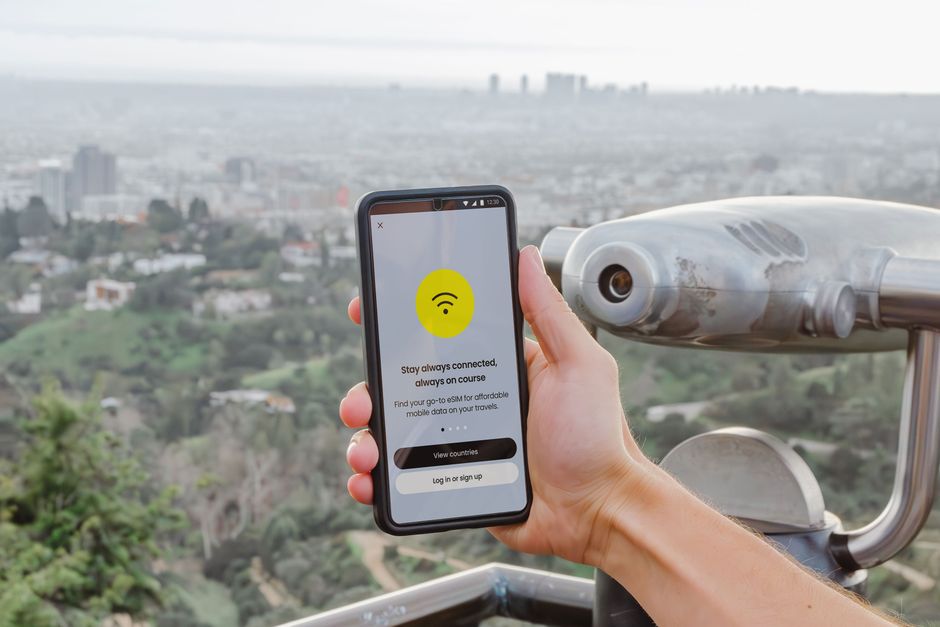
Photo: Jacob — Pexels
OnePlus eSIM Compatibility: The Complete Model List for 2026
eSIM technology is reshaping how we connect, but not every OnePlus phone supports it. If you own a OnePlus device or plan to buy one, you need to know whether it has the necessary hardware—an eUICC chip—and whether your carrier supports eSIM activation. This guide covers everything: which OnePlus models are eSIM-ready in 2026, how eSIM works, and what to check before you switch.
Important: eSIM requires both a compatible device and a carrier that offers eSIM services. Even if your OnePlus model appears in the list below, your mobile operator must support eSIM provisioning (usually via QR code or an app). Always confirm with your carrier.
What Is eSIM and How Does It Work on OnePlus?
An eSIM (embedded SIM) is a small chip—the eUICC—soldered onto your phone’s motherboard. Instead of a physical plastic SIM card, you download a digital profile from your carrier. This profile contains your phone number, authentication keys, and network settings.
On a OnePlus phone, you manage eSIM profiles through Settings > Network & Internet > SIMs (exact path may vary by model and OxygenOS version). You can add a plan by scanning a QR code provided by your carrier or by using the carrier’s app. Once installed, the eSIM works just like a physical SIM: you can make calls, send texts, and use mobile data.
Most eSIM-capable OnePlus phones also support dual SIM functionality—either two physical SIMs, one physical + one eSIM, or dual eSIM (depending on model and region). This flexibility is great for travel or separating work and personal lines.
OnePlus Models That Support eSIM in 2026
Based on official specifications and carrier certifications, the following OnePlus devices support eSIM as of 2026. If your model is not listed, it is not officially eSIM-compatible.
| OnePlus Model | eSIM Support |
|---|---|
| OnePlus 15 | Yes |
| OnePlus 13 | Yes (all regional versions) |
| OnePlus 13s | Yes (India) |
| OnePlus 12 | Yes, except India models |
| OnePlus 11 | Yes, except India models |
| OnePlus 12R | USA and Canada models only |
| OnePlus 15R | USA and Canada models only |
| OnePlus Open | Yes, except USA and Canada models |
Note: eSIM availability can vary by region and carrier. For example, the OnePlus 11 and 12 sold in India have no eSIM, while the OnePlus 13 has eSIM on every regional version. Always check the device’s spec sheet or ask your carrier.
How to Check if Your OnePlus Phone Supports eSIM
There are two reliable ways to verify eSIM support on your OnePlus device:
- Check the settings: Go to Settings > Network & Internet > SIMs. If you see an option like “Add eSIM” or “Download a SIM instead?”, your phone has eSIM hardware.
- Dial a code: Open the dialer and enter
*#06#. If an EID (Embedded Identity Document) number appears, your device has an eUICC chip. No EID means no eSIM support.
For a faster, more user-friendly check, download the free eSIM Check Android app. It scans your device’s hardware and tells you instantly whether eSIM is supported, and even whether your carrier is likely to activate it.
Carrier Support: The Other Half of the Equation
Even if your OnePlus model is eSIM-ready, you cannot use eSIM without a participating carrier. Major operators in the US, Europe, and Asia increasingly support eSIM, but smaller MVNOs may not. Before you buy an eSIM plan, confirm the following with your carrier:
- Do they offer eSIM profiles for your specific OnePlus model?
- How do they deliver the eSIM—QR code, app, or web portal?
- Are there any restrictions (e.g., prepaid vs. postpaid, or business accounts only)?
If your carrier doesn’t support eSIM, you can still use a physical SIM. Alternatively, consider switching to a provider that does.
Other Android Devices with eSIM Support
OnePlus is not the only brand embracing eSIM. If you’re comparing devices, here are other Android models that support eSIM in 2026 (this list is not exhaustive, but covers popular options):
- Samsung Galaxy: Galaxy S26, S26+, S26 Ultra, S26 FE, S25 series, S24 series, S23 series, S22 series, S21 series, S20 series (not the FE models), Z Fold 8, Z Fold 7, Z Fold 6, Z Fold 5, Z Flip 8, Z Flip 7, Z Flip 6, Z Flip 5, Note 20, A56, A36, A55, A54 (select models), A35, and Galaxy Watch 4 and later (LTE models), plus select Galaxy Tab S9 and S10 5G tablets.
- Google Pixel: Pixel 11, 11 Pro, 11 Pro XL, 11 Pro Fold, Pixel 10, 10 Pro, 10 Pro XL, 10 Pro Fold, 10a, Pixel 9 series, Pixel 8 series, Pixel 7 series, Pixel 6 series, Pixel 5, Pixel 4, Pixel 3, Pixel Fold, and Pixel Watch 1–5 (LTE models).
- Xiaomi & Redmi: Xiaomi 17, 17 Ultra, 17T, 17T Pro, Xiaomi 15, 15 Ultra, 15T, 15T Pro, Xiaomi 14, Xiaomi 13, 13 Pro, 13 Lite, 13T Pro, 12T Pro, Redmi Note 13 Pro+ 5G, Redmi Note 15 Pro+ 5G.
- Oppo: Find X9 / X9 Pro, Find X8 / X8 Pro, Find X5 / X5 Pro, Find X3 Pro, Find N3, Find N2 Flip, Reno 6 Pro 5G, Reno 5A, A55s 5G, A73.
- Motorola: Razr 70, Razr 70+, Razr 70 Ultra, Razr 2024, Razr 60 Ultra, Razr+ 2024, Razr+ (2023), Razr 50 Ultra, Razr 50, Razr 40 Ultra, Razr 40, Razr 5G, Razr 2022, Razr 2019, motorola signature, Edge 70, Edge 70 Pro, Edge 70 Fusion, Edge 50 Ultra, Edge 50 Pro, Edge 50 Fusion, Edge 40, Edge 40 Neo, Edge+ (2023), G84 (some versions), G54, ThinkPhone.
- Sony Xperia: Xperia 1 VIII, 1 VII, 1 VI, 1 V, 1 IV, 5 V, 5 IV, 10 V, 10 IV, 10 III Lite, Ace III.
- Other brands: Honor Magic 8 Pro, Magic 7 Pro, Magic 6 Pro, Magic V3, Magic V2, Magic 5 Pro, Magic 4 Pro, Honor 90, 200 Pro, 400 Lite (Europe); Vivo X90 Pro, X300 Pro, V29 (Europe & Latin America only); Nothing Phone (4a) Pro, Phone (3), Phone (3a) Pro; Microsoft Surface Pro (9, 8, 7+, X), Surface Go 3; Lenovo ThinkPad X1 series; Dell Latitude series (LTE models); HP EliteBook (LTE models); ASUS ExpertBook B3 (B3405 / B3605).
Remember, this list is based on official specifications. Some models may have eSIM disabled in certain regions, so always verify before purchase.
How to Activate an eSIM on Your OnePlus Phone
Once you have a compatible OnePlus device and a carrier that supports eSIM, activation is straightforward:
- Contact your carrier and request an eSIM profile. They will provide a QR code or an activation code.
- On your OnePlus phone, go to Settings > Network & Internet > SIMs.
- Tap “Add eSIM” or “Download a SIM instead?”.
- Scan the QR code provided by your carrier. If you received an activation code instead, enter it manually.
- Follow the on-screen prompts to download and install the eSIM profile.
- Set your preferences for calls, texts, and mobile data. You can label the eSIM (e.g., “Work” or “Travel”).
Once installed, you can switch between eSIM and physical SIM profiles in the same menu. To remove an eSIM, tap it and select “Delete” or “Remove”.
Benefits of Using eSIM on OnePlus
- Convenience: No need to visit a store or wait for a plastic SIM to arrive.
- Dual SIM flexibility: Keep your physical SIM for your home number and add a travel eSIM for local data.
- Security: If your phone is lost or stolen, an eSIM cannot be removed and misused as easily as a physical SIM.
- Space savings: Removing the SIM tray allows for larger batteries or thinner designs.
Potential Limitations
While eSIM is convenient, there are a few caveats:
- Carrier support varies: Not all operators offer eSIM, and some restrict it to postpaid plans.
- Switching devices: Moving an eSIM to a new phone often requires contacting your carrier to reissue the profile.
- Region-specific models: A OnePlus phone sold in one country might not support eSIM in another.
Frequently Asked Questions
For quick answers, see the FAQ section below.
Final Thoughts
eSIM is the future of mobile connectivity, and OnePlus has embraced it in several recent models. If you own a OnePlus 15, 13, 13s, 12 or 11 (not India models for the 11 and 12), an Open (not USA/Canada models), or a 12R or 15R bought in the USA or Canada, you likely have eSIM hardware. But remember: hardware alone is not enough—your carrier must also support eSIM activation.
To find out instantly whether your OnePlus device is eSIM-ready, download the free eSIM Check Android app. It’s the fastest way to confirm compatibility and start using eSIM today.
Frequently Asked Questions
Which OnePlus models support eSIM in 2026?expand_more
How can I check if my OnePlus phone has eSIM?expand_more
Can I use eSIM on my OnePlus if my carrier doesn't support it?expand_more
Does the OnePlus Nord N30 SE support eSIM?expand_more
Check your own phone in seconds
The free eSIM Check app reads your device's real hardware capabilities — no guesswork.
Get it on Google Play