September 25, 2026
Is eSIM Safe? Security and Privacy Explained
Discover how eSIM technology protects your data. We explain eUICC security, carrier activation, QR code risks, and privacy on Android devices.
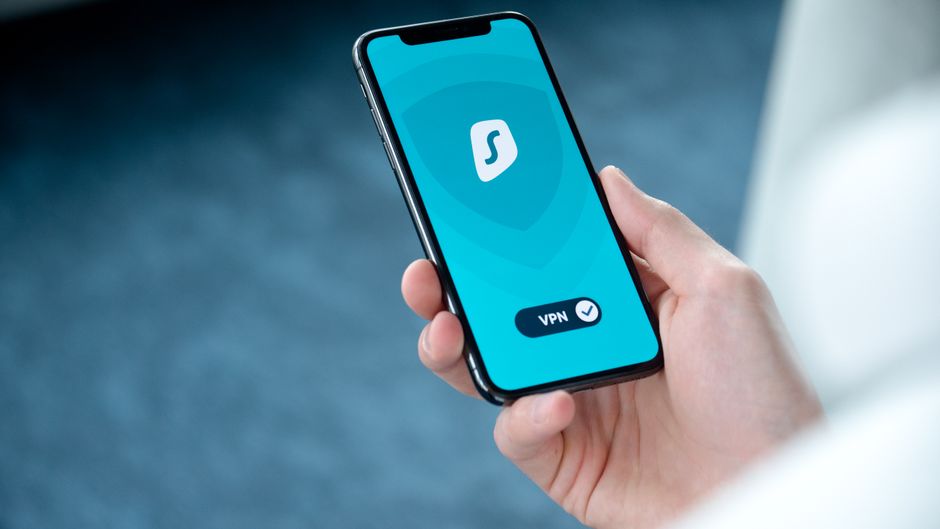
Photo: Dan Nelson — Pexels
Is eSIM Safe? Security and Privacy Explained
eSIM technology has moved from a niche feature to the mainstream, with major flagship phones and even budget devices now shipping without a physical SIM tray. But as with any new technology, questions about safety and privacy arise. Is an eSIM more vulnerable to hacking than a plastic SIM? Can your carrier track you more easily? And what about those QR codes you scan to activate a plan? In this article, we break down the security architecture of eSIM, the privacy implications, and practical steps you can take to stay safe.
What Exactly Is an eSIM?
An eSIM (embedded SIM) is a small chip soldered directly onto your device’s motherboard. It’s not a removable card. Instead, it uses a standard called eUICC (embedded Universal Integrated Circuit Card). This chip can store multiple carrier profiles, and you can switch between them digitally—no need to visit a store or wait for a plastic SIM in the mail.
To use an eSIM, you need both a device that supports eSIM hardware and a carrier that offers eSIM activation. A phone might have the chip but lack the software or carrier certification. Always check your carrier’s eSIM support before assuming it will work.
How eSIM Security Works: The eUICC Advantage
The eUICC chip is designed with security in mind. It stores your carrier credentials—such as the IMSI (International Mobile Subscriber Identity) and authentication keys—in a secure element that is tamper-resistant. Unlike a removable SIM, which can be physically stolen and inserted into another phone, an eSIM cannot be easily removed. This makes it harder for thieves to hijack your number.
When you activate an eSIM, the carrier sends a profile to your device. This profile is encrypted and digitally signed. The eUICC verifies the signature before installing it, ensuring that only legitimate carrier profiles are accepted. This process, defined by the GSMA (the global mobile standards body), prevents malicious actors from injecting fake profiles.
Additionally, eSIM profiles can be remotely managed. If your phone is lost or stolen, your carrier can deactivate the eSIM remotely, preventing unauthorized use. With a physical SIM, you’d need to call the carrier and hope the thief hasn’t already removed it.
Are eSIMs More Secure Than Physical SIMs?
In many ways, yes. The eUICC chip is soldered to the board, so it can’t be swapped out. The activation process uses strong encryption and authentication. And remote management adds a layer of control. However, no technology is invulnerable. The security ultimately depends on the carrier’s implementation and the device’s overall security.
Carrier Activation and QR Codes: What to Watch For
Most carriers activate eSIMs by providing a QR code that you scan with your phone’s camera. This QR code contains the address of the carrier’s provisioning server and a unique activation token. Once scanned, the phone downloads the profile and installs it.
But QR codes can be a weak point. If someone tricks you into scanning a malicious QR code—say, by sending you a fake email that looks like it’s from your carrier—they might be able to install a profile that redirects your calls or data. Always verify the source of the QR code. Only scan codes from your carrier’s official app, website, or a trusted retail store.
Some carriers also support activation via an app or a simple code entry. These methods are generally safer because they rely on your carrier account login, which should be protected by two-factor authentication.
Privacy Considerations: What Does Your Carrier See?
eSIM doesn’t fundamentally change what your carrier can see. They still know when you make calls, send texts, and use data. They still log your location for emergency services and network management. The difference is that eSIM makes it easier to switch carriers or add a second line. This can actually enhance privacy if you use a separate eSIM for work and personal use, or if you use a travel eSIM to avoid roaming charges and keep your primary number private.
However, because eSIM profiles are tied to your identity (you need to provide ID to activate a postpaid plan in many countries), your carrier can link your eSIM to your real name. Prepaid eSIMs may offer more anonymity, but regulations vary by country.
Can eSIMs Be Hacked?
There have been theoretical attacks on eUICC, but no widespread, practical exploits have been demonstrated in the wild. The GSMA regularly updates the eSIM specification to address vulnerabilities. As long as you keep your device’s operating system updated and only install profiles from trusted sources, the risk is low.
Device Support and eSIM Security
Not all devices with eSIM hardware implement it securely. Manufacturers must follow GSMA guidelines, but the actual security depends on the device’s firmware and the carrier’s provisioning. Here are some popular eSIM-capable devices (as per our authoritative list):
- Apple: iPhone 18 Pro, iPhone 18 Pro Max, iPhone 17, iPhone 17 Pro, iPhone 17 Pro Max, iPhone 17e, iPhone Air, iPhone 16 series, iPhone 15 series, iPhone 14 series, iPhone 13 series, iPhone 12 series, iPhone 11 series, iPhone SE (2020), iPhone SE (2022), iPhone XR, iPhone XS, iPhone XS Max, iPad models, Apple Watch (GPS + Cellular) models.
- Samsung: Galaxy S26 series, Galaxy S25 series, Galaxy S24 series, Galaxy S23 series, Galaxy S22 series, Galaxy S21 series, Galaxy S20 series, Galaxy Z Fold series, Galaxy Z Flip series, Galaxy Note 20, Galaxy A56, Galaxy A36, Galaxy A55, Galaxy A54 (select models), Galaxy A35, Galaxy Watch 4 and later (LTE models), Galaxy Tab S10 and S9 (5G models).
- Google Pixel: Pixel 11 series, Pixel 10 series, Pixel 9 series, Pixel 8 series, Pixel 7 series, Pixel 6 series, Pixel 5, Pixel 4 series, Pixel 3 series, Pixel 2 (Google Fi only), Pixel Fold, Pixel Watch (LTE models).
- Xiaomi: Xiaomi 17 series, Xiaomi 14, Xiaomi 15 series, Xiaomi 13 series, Xiaomi 12T Pro, Redmi Note 13 Pro+ 5G, Redmi Note 15 Pro+ 5G.
- Motorola: Razr 70 series, Razr 2024, Razr 60 Ultra, Razr+ 2024, Razr+ (2023), Razr 50 series, Razr 40 series, Razr 5G, Razr 2022, Razr 2019, Edge 70 series (except Edge 70 Max), motorola signature, Edge 50 series, Edge 40 series, Edge+ (2023), G84, G54, ThinkPhone.
- OnePlus: OnePlus 13, OnePlus 15, OnePlus 12, OnePlus 11, OnePlus Open.
- Others: Oppo Find X3 Pro, X5, X5 Pro, X8, X8 Pro, X9, X9 Pro, Find N3, Find N2 Flip, some Reno models (depending on region); Huawei P40, P40 Pro (not Pro+), Mate 40 Pro; Sony Xperia 1 series, Xperia 5 series, Xperia 10 series, Xperia Ace III; Honor Magic series, Honor 90, Honor 200 Pro, Honor 400 Lite; Vivo X90 Pro, X300 Pro, V29 (Europe & Latin America only); Nothing Phone (4a) Pro, Nothing Phone (3), Nothing Phone (3a) Pro; plus various laptops and tablets from Microsoft, Lenovo, Dell, HP, and ASUS.
Remember: even if your device is on this list, your carrier must also support eSIM. Check with your carrier before assuming compatibility.
Best Practices for eSIM Security and Privacy
- Only scan QR codes from trusted sources. Never scan a code from an unsolicited email or message.
- Use two-factor authentication on your carrier account to prevent unauthorized profile changes.
- Keep your device updated. Security patches often include fixes for eUICC-related vulnerabilities.
- Use a PIN or biometric lock on your device to prevent physical access to your eSIM settings.
- Consider a separate eSIM for travel. This keeps your primary number private and avoids roaming charges.
- Monitor your carrier account for any unauthorized changes or new profiles.
Conclusion
eSIM is generally safe—often safer than a physical SIM because it’s harder to steal and can be managed remotely. The eUICC chip uses strong encryption and authentication, and the GSMA continuously updates the standard. Privacy-wise, your carrier still sees your activity, but eSIM gives you more flexibility to separate work and personal lines. The main risks come from social engineering (like phishing QR codes) and carrier implementation, not the technology itself. By following best practices, you can enjoy the convenience of eSIM without compromising security.
Ready to check if your Android device supports eSIM? Download the free eSIM Check Android app to instantly verify compatibility and get started with a secure eSIM experience.
Frequently Asked Questions
Can an eSIM be hacked remotely?expand_more
Is eSIM more secure than a physical SIM?expand_more
Does eSIM affect my privacy?expand_more
What are the risks of scanning an eSIM QR code?expand_more
Check your own phone in seconds
The free eSIM Check app reads your device's real hardware capabilities — no guesswork.
Get it on Google Play